Users can map EF by following these steps :
1. Select the item for which you want to perform Mapping EF.
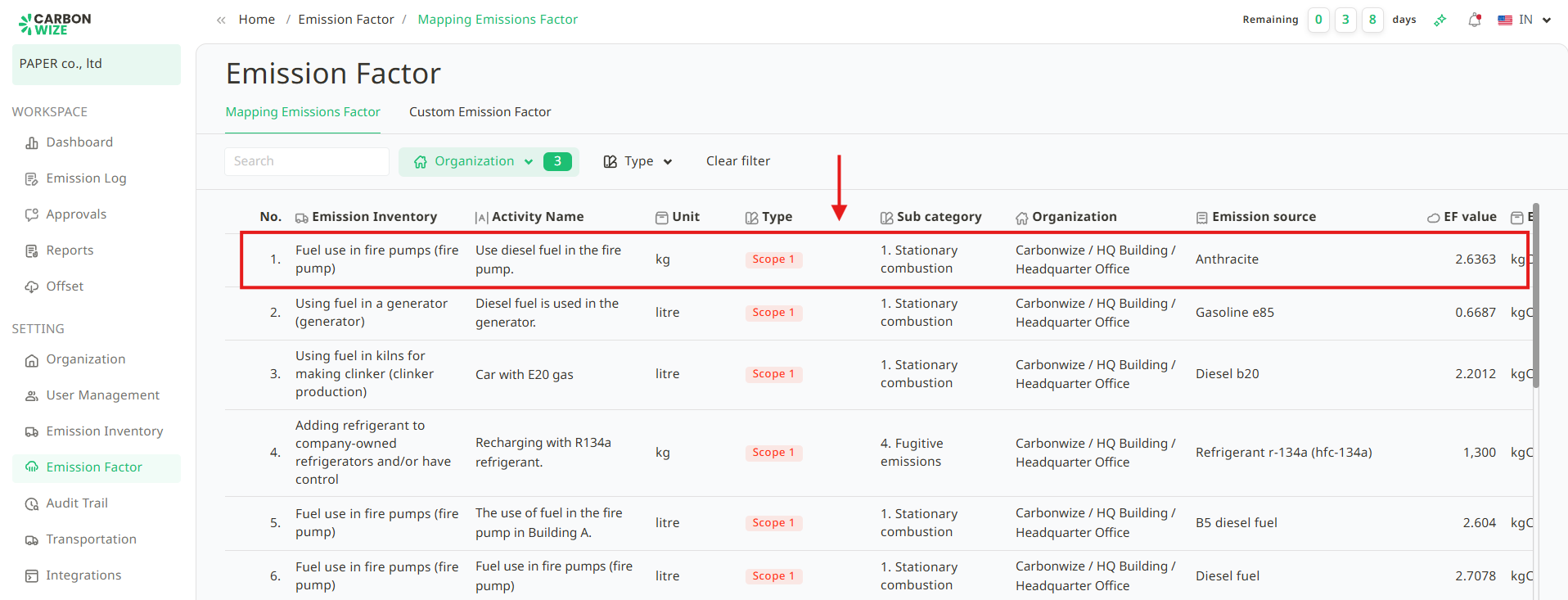
2. Select the appropriate Emission source.
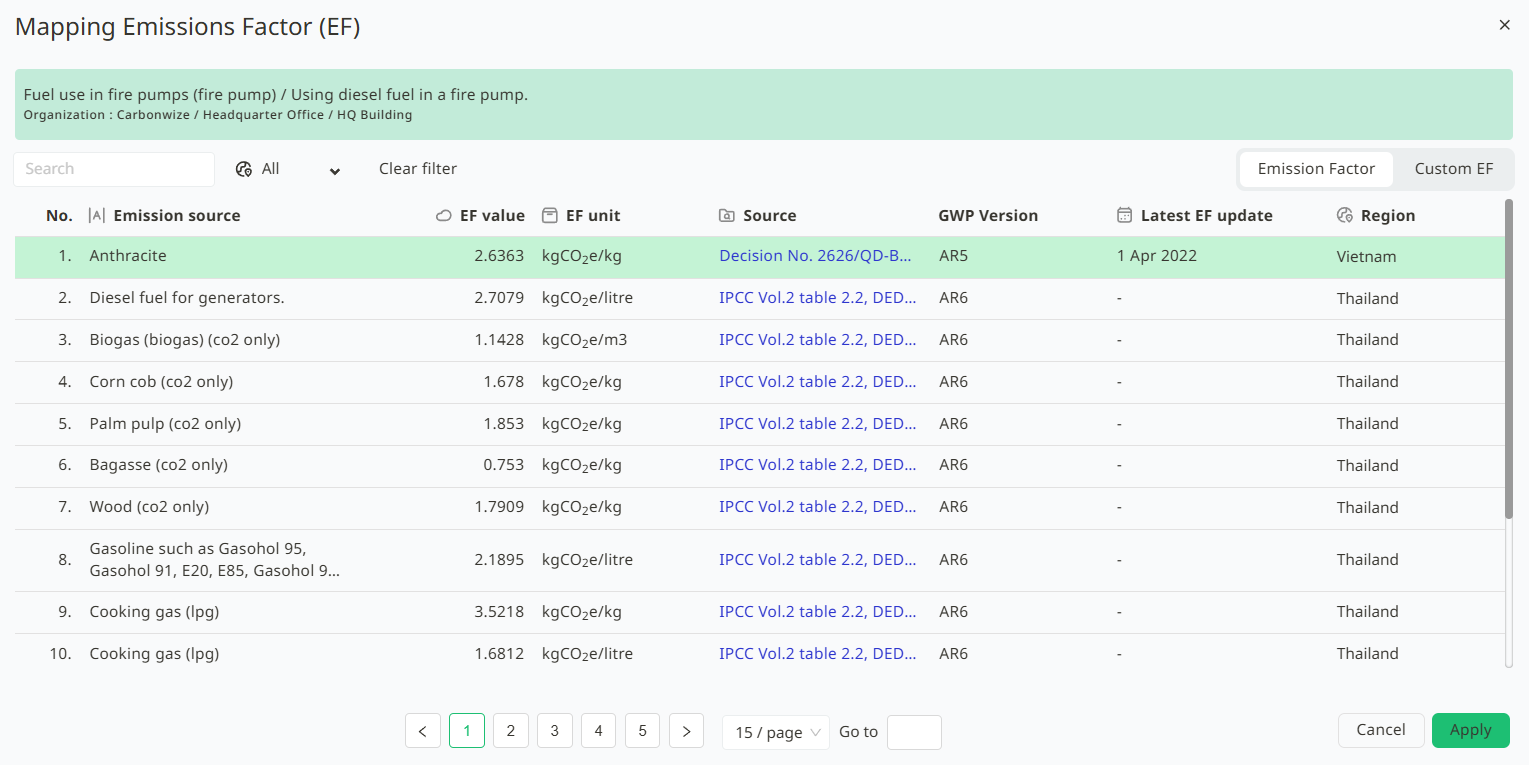
3. Click Apply.
Once the EF (Emission Factor) Mapping is complete, the related calculation data will be adjusted as follows :
- Report (Verification) - Calculation data for verification will solely use the mapped EF values.
- Organization Overview Page - Display and calculations on the organization overview page will reference the already mapped EF values.
Was this article helpful?
That’s Great!
Thank you for your feedback
Sorry! We couldn't be helpful
Thank you for your feedback
Feedback sent
We appreciate your effort and will try to fix the article