Users can set up their own EF by following these steps :
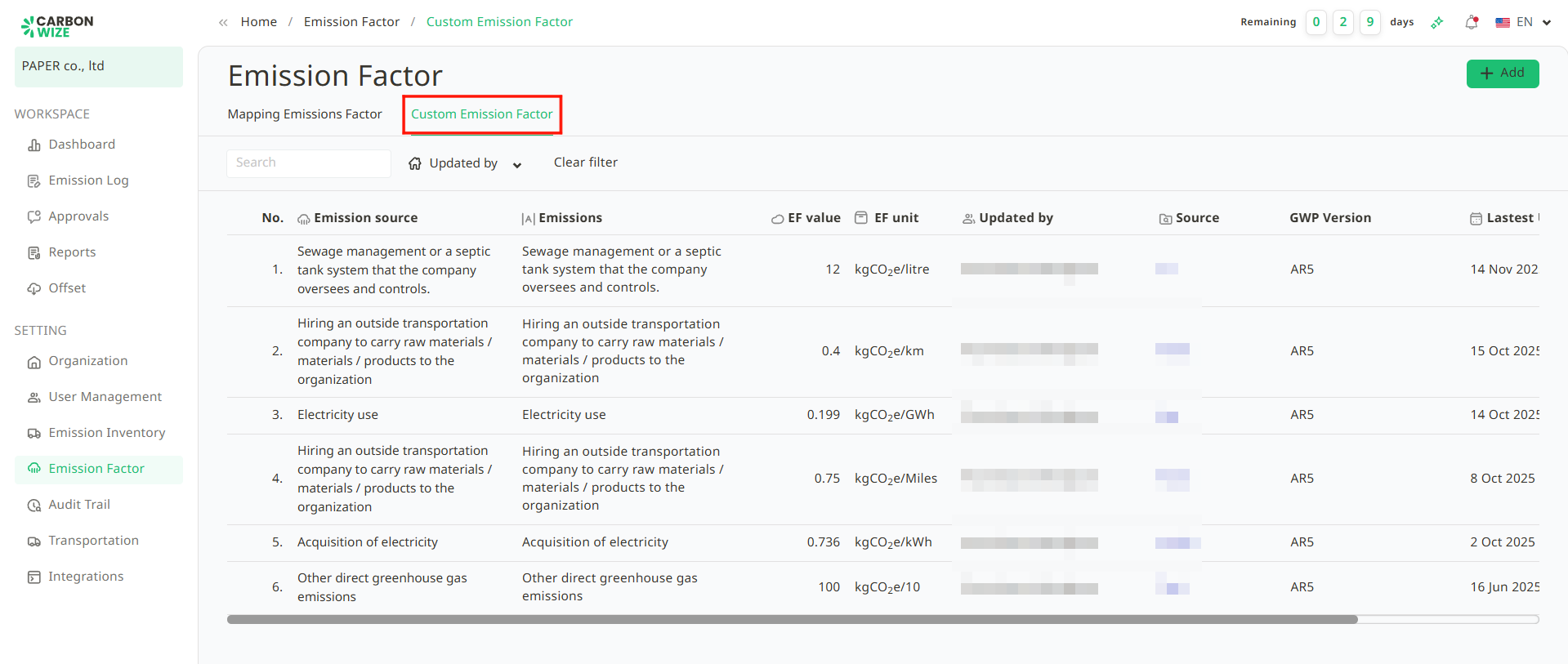
1. Go to the Custom EF page.
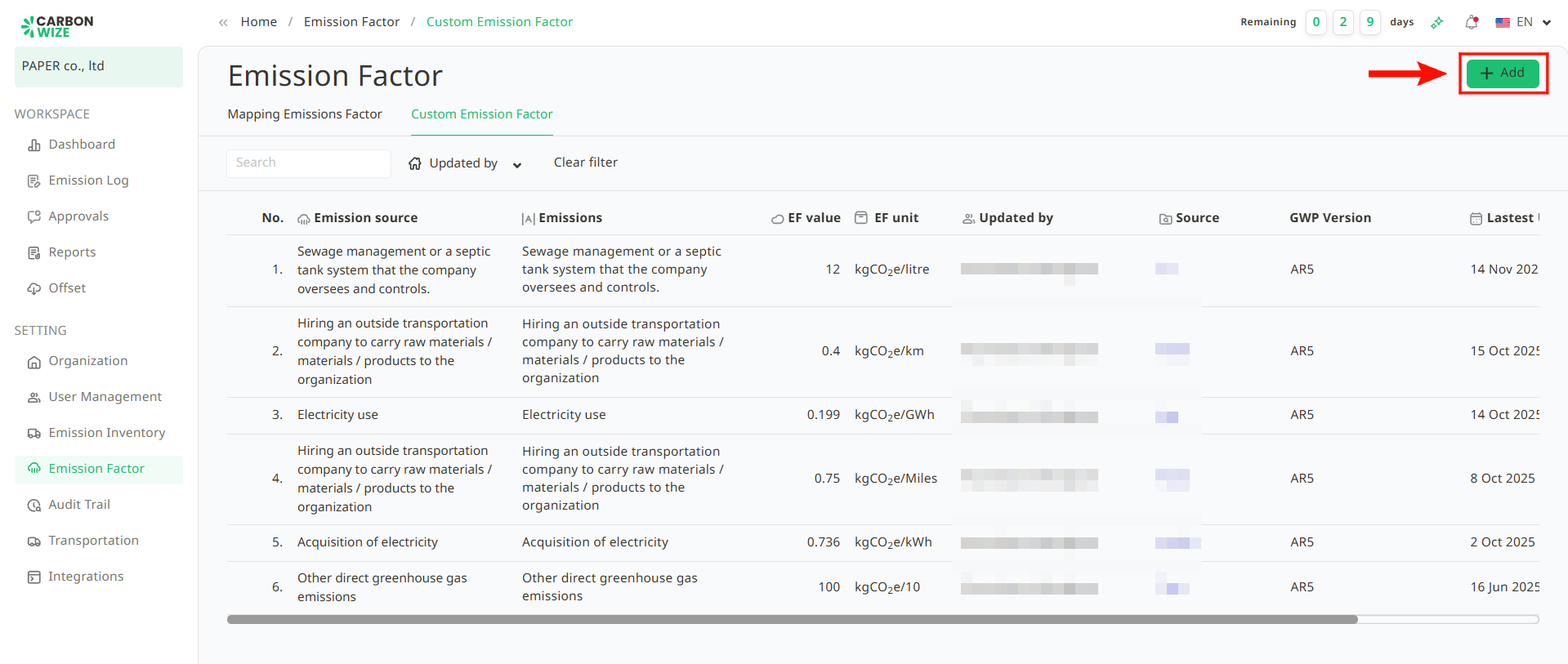
2. Click the + Add button.
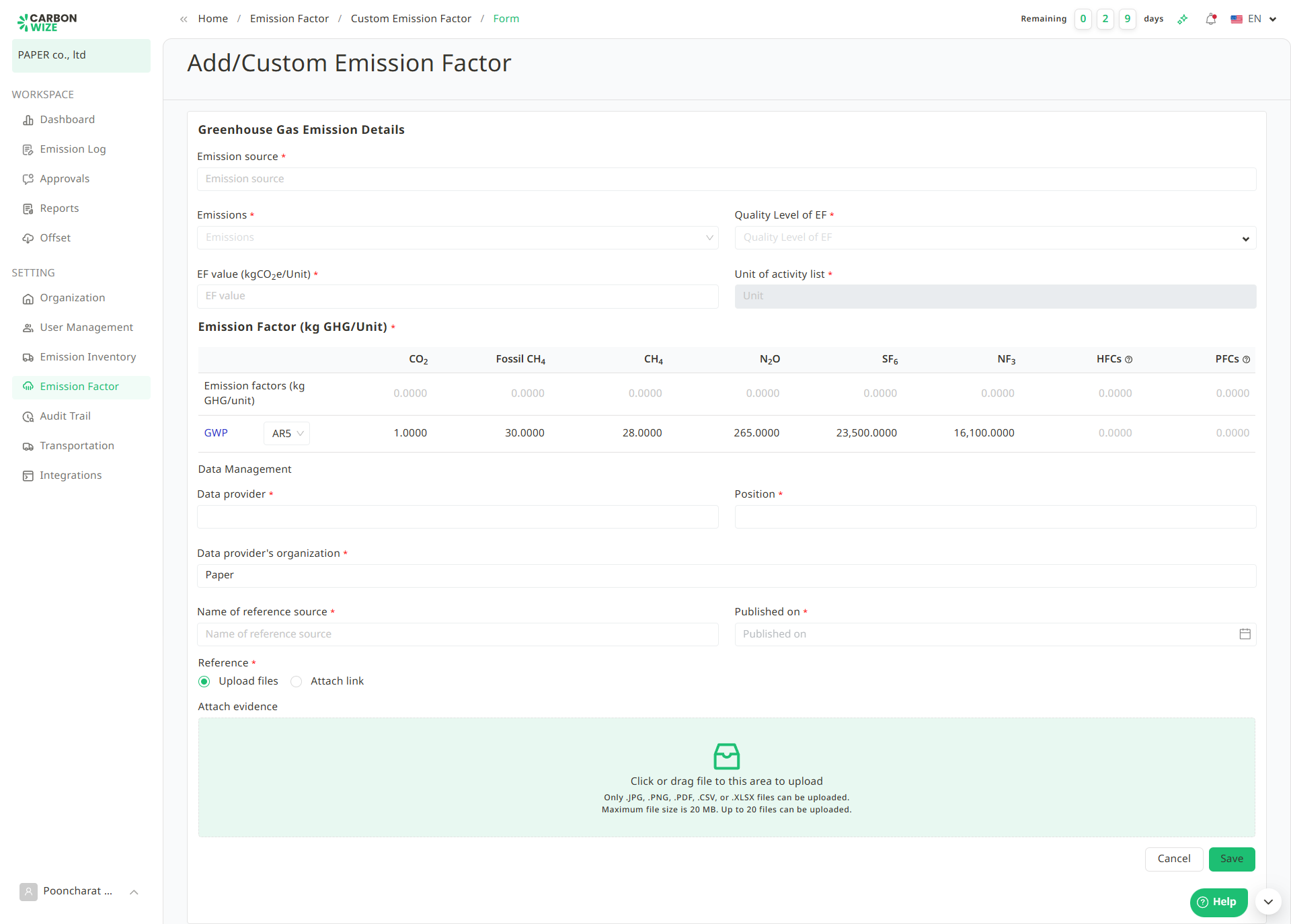
3. Fill in the details of the Emission Factor (EF) completely as follows :
- Emission Source
- Emissions
- Quality Level of EF
- EF value
- Unit of activity list
- Emission Factor
- Data provider
- Position
- Data provider's organization
- Name of reference source
- Published on
- Reference
- Attach evidence
4. Click the Save button.
Was this article helpful?
That’s Great!
Thank you for your feedback
Sorry! We couldn't be helpful
Thank you for your feedback
Feedback sent
We appreciate your effort and will try to fix the article