User can add available carbon offset volume by following these steps:
1. Click the Add button.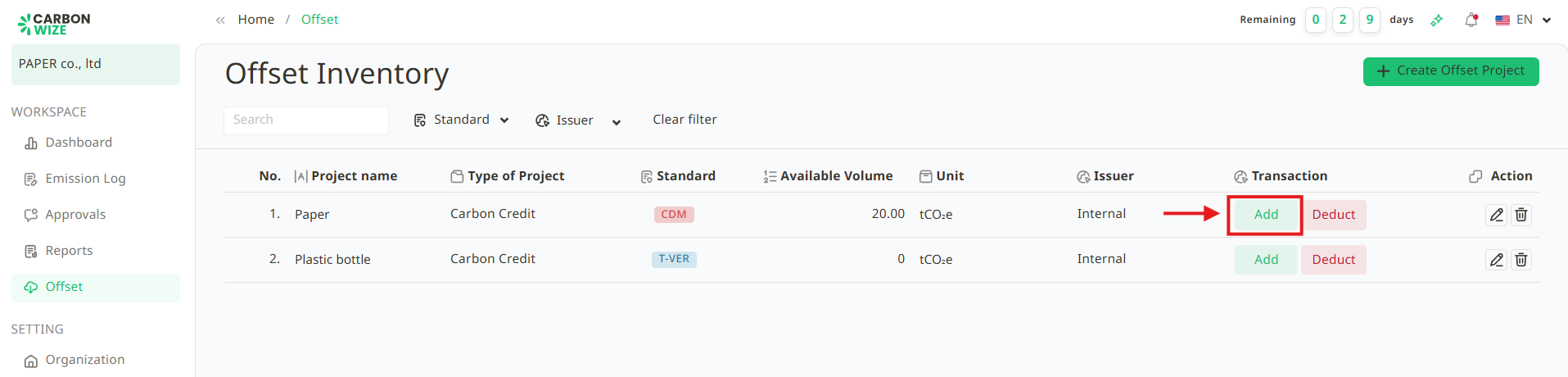
2. Fill in the details for the amount user want to add.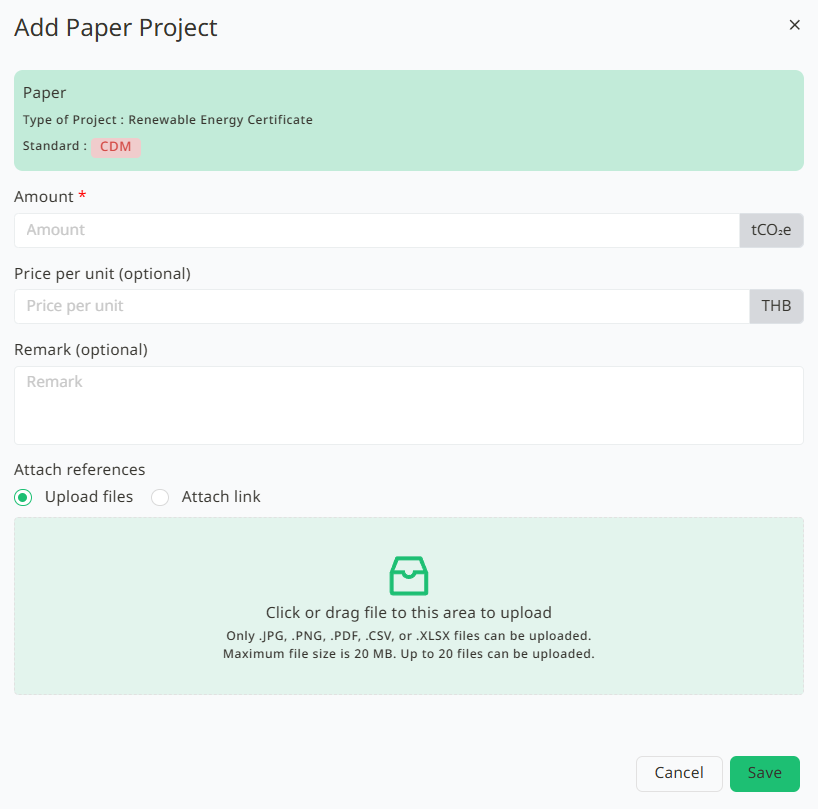
3. Click Save.
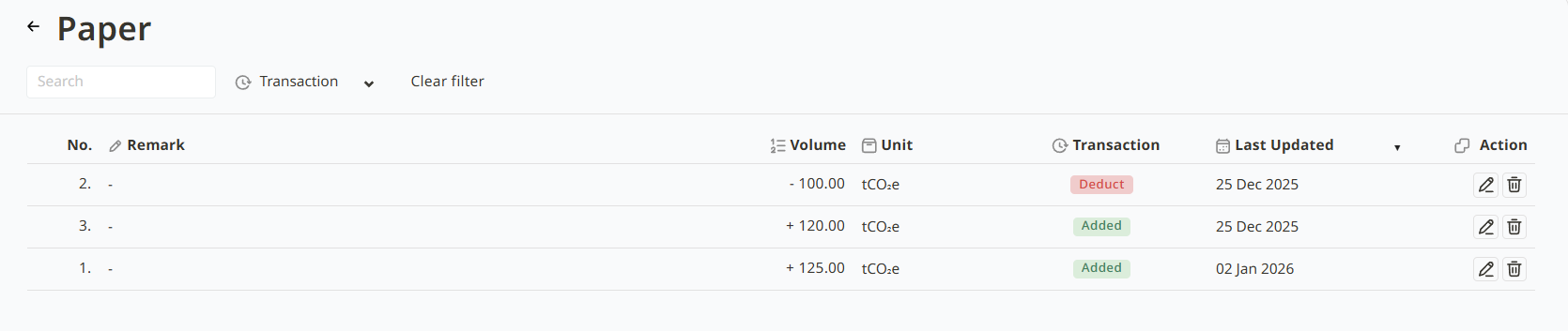
4. The amount user entered will be displayed under Available Volume. User can also click on the project name to view or edit the details of the added or reduced volume
Was this article helpful?
That’s Great!
Thank you for your feedback
Sorry! We couldn't be helpful
Thank you for your feedback
Feedback sent
We appreciate your effort and will try to fix the article