The Due Date function allows user to set specific deadlines for data entry or updates within the system. This helps users track progress and ensure tasks are completed on time. The system monitors data entry status and sends notifications as deadlines approach or when user has passed, ensuring data management is efficient, accurate, and compliant with system requirements.
Setting a Due Date.
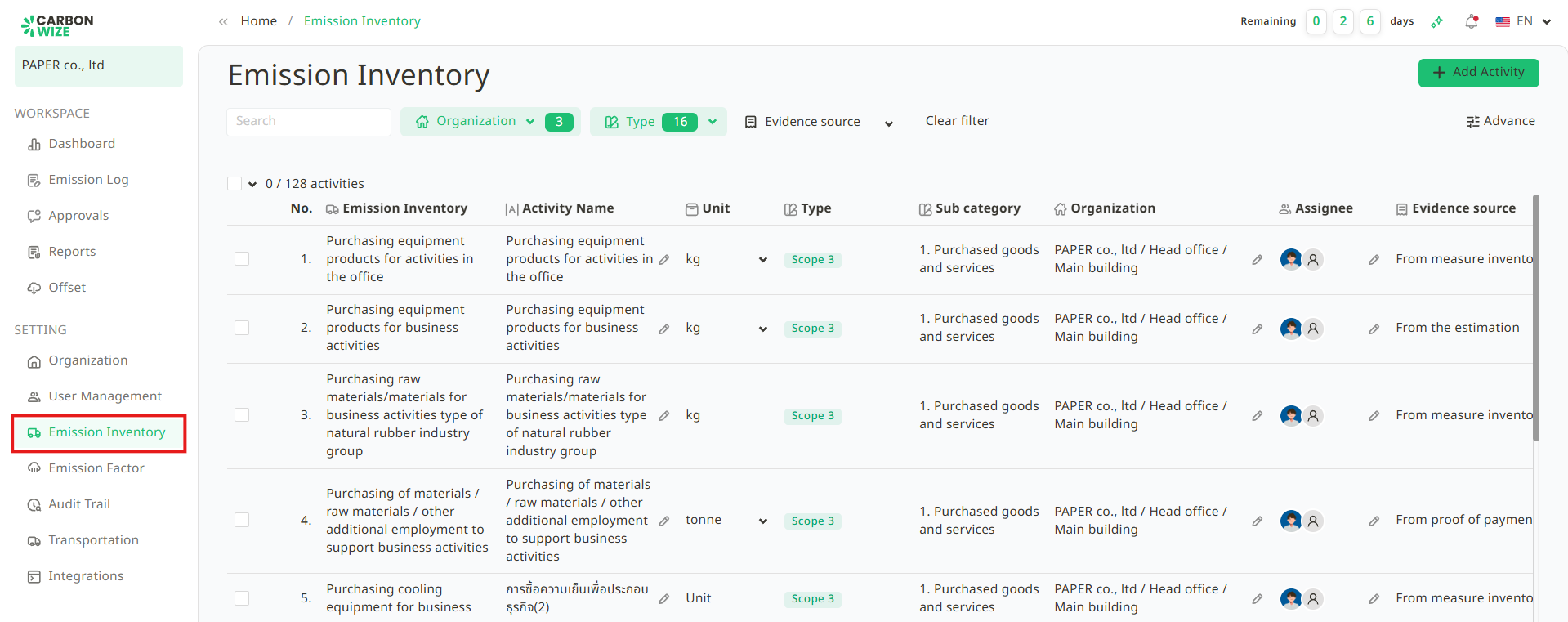
1. Go to Emission Inventory.
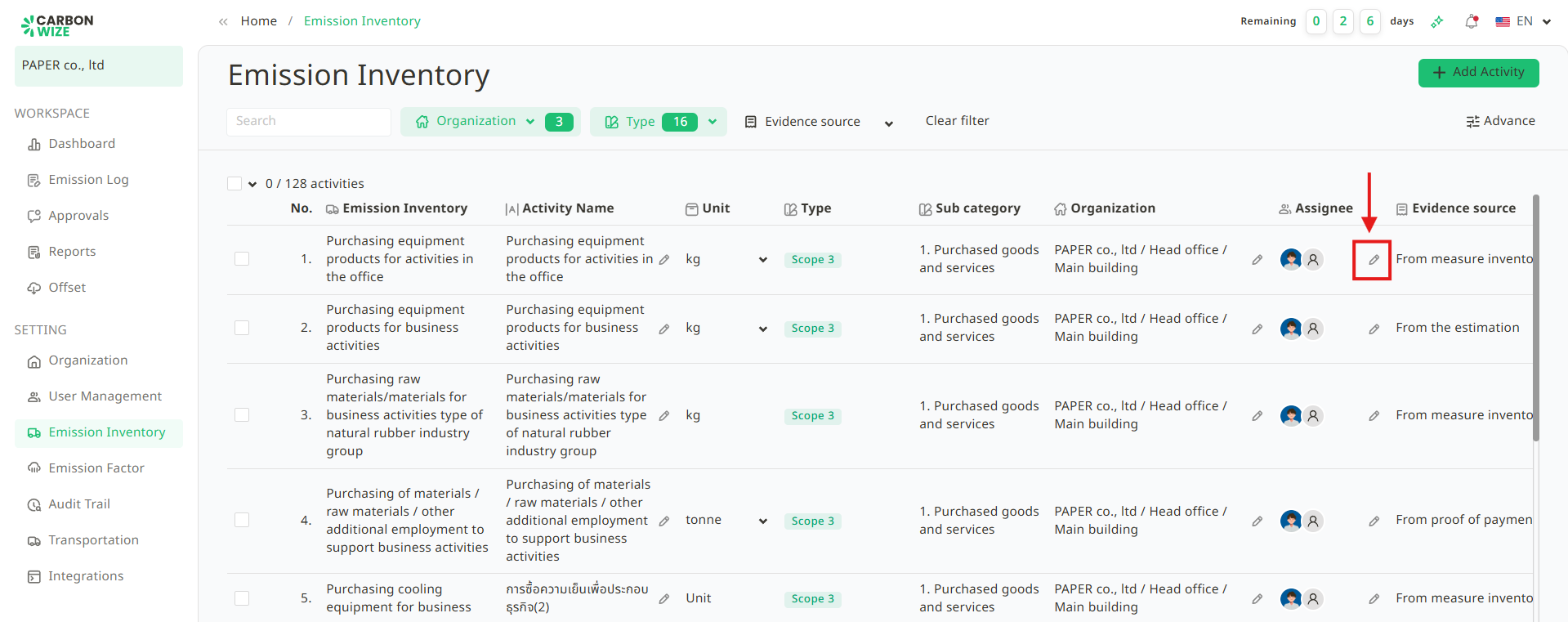
2. Click the Pencil icon in the Assignee column for the activity user want to configure.
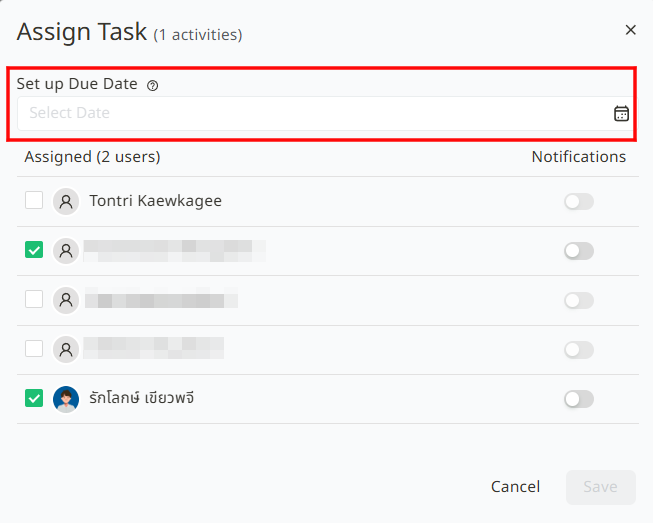
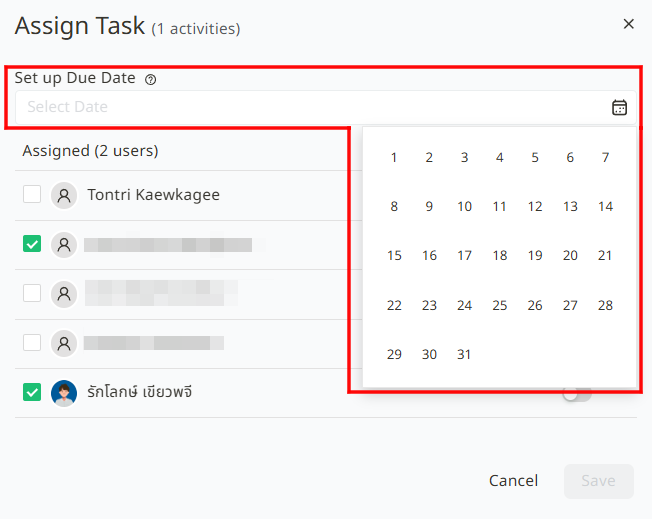
3. Select the Due Date.
4. Select the assignee and configure Notifications. User can choose to send alerts to the responsible user. The system sends monthly notifications 3 days prior to the scheduled due date. If a specific date does not exist in a given month (e.g., the 31st), the system will automatically adjust the notification to the last day of that month.
5. Click the Save button.
Setting Due Dates for Multiple Items.
1. Select the checkboxes for the activities user want to update.
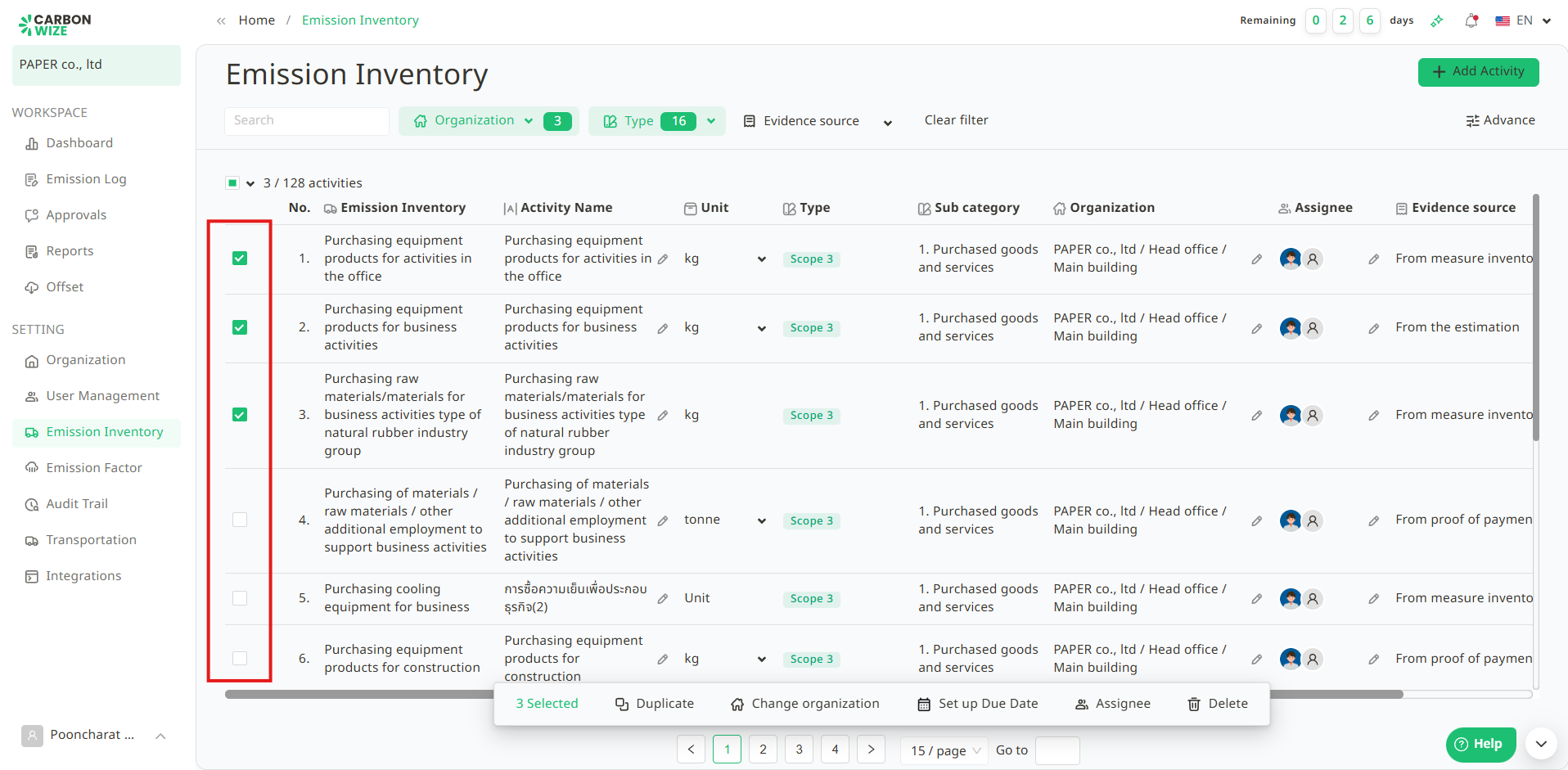
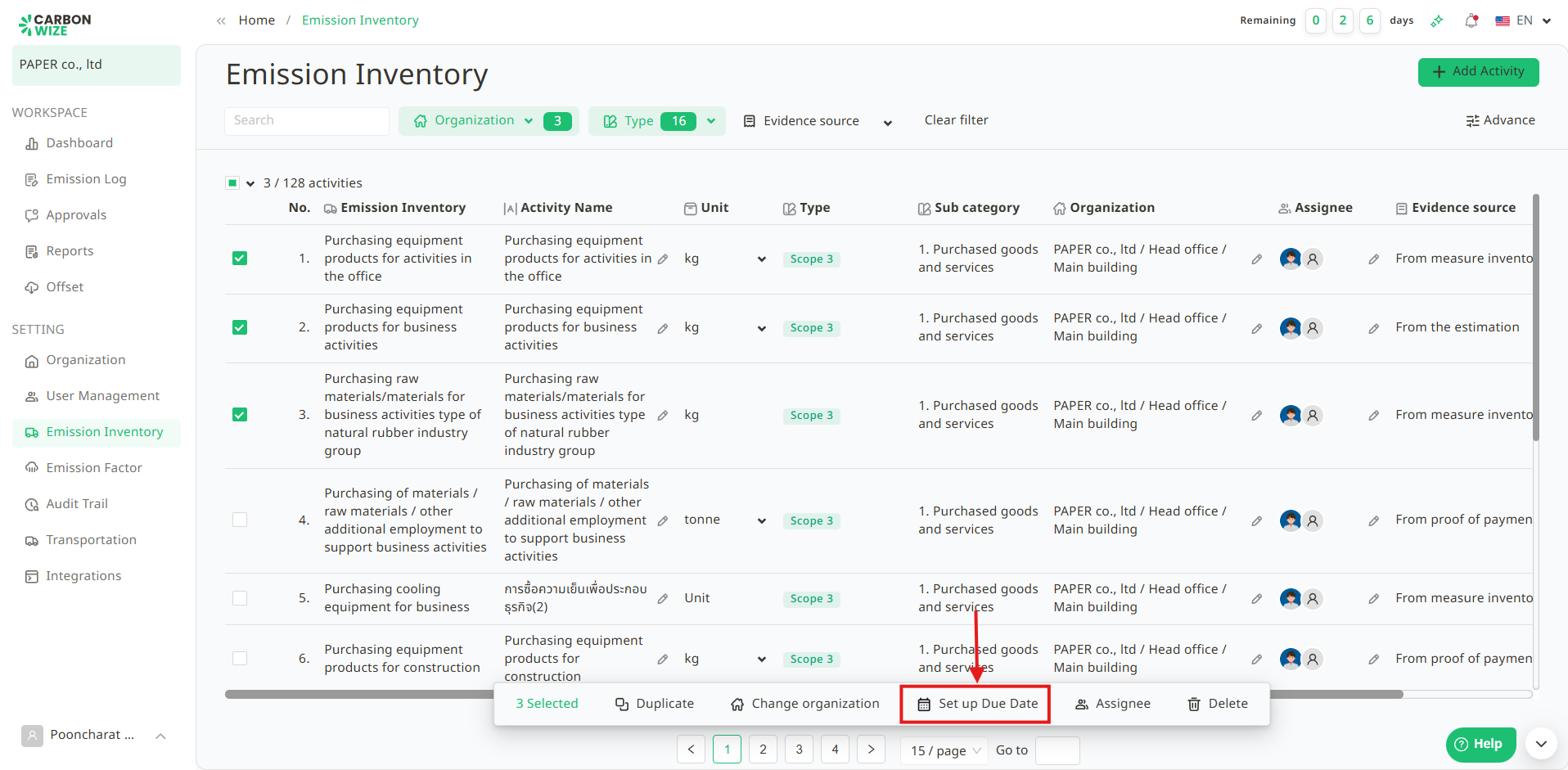
2. Click the Set up Due Date button.
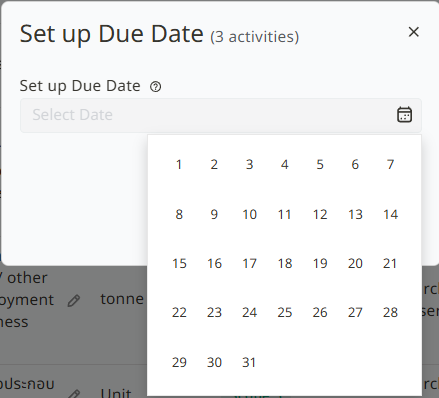
3. Select the Due Date.
4. Click the Save button.
Setting Notifications for Multiple Items.
1. Select the checkboxes for the activities user want to update.
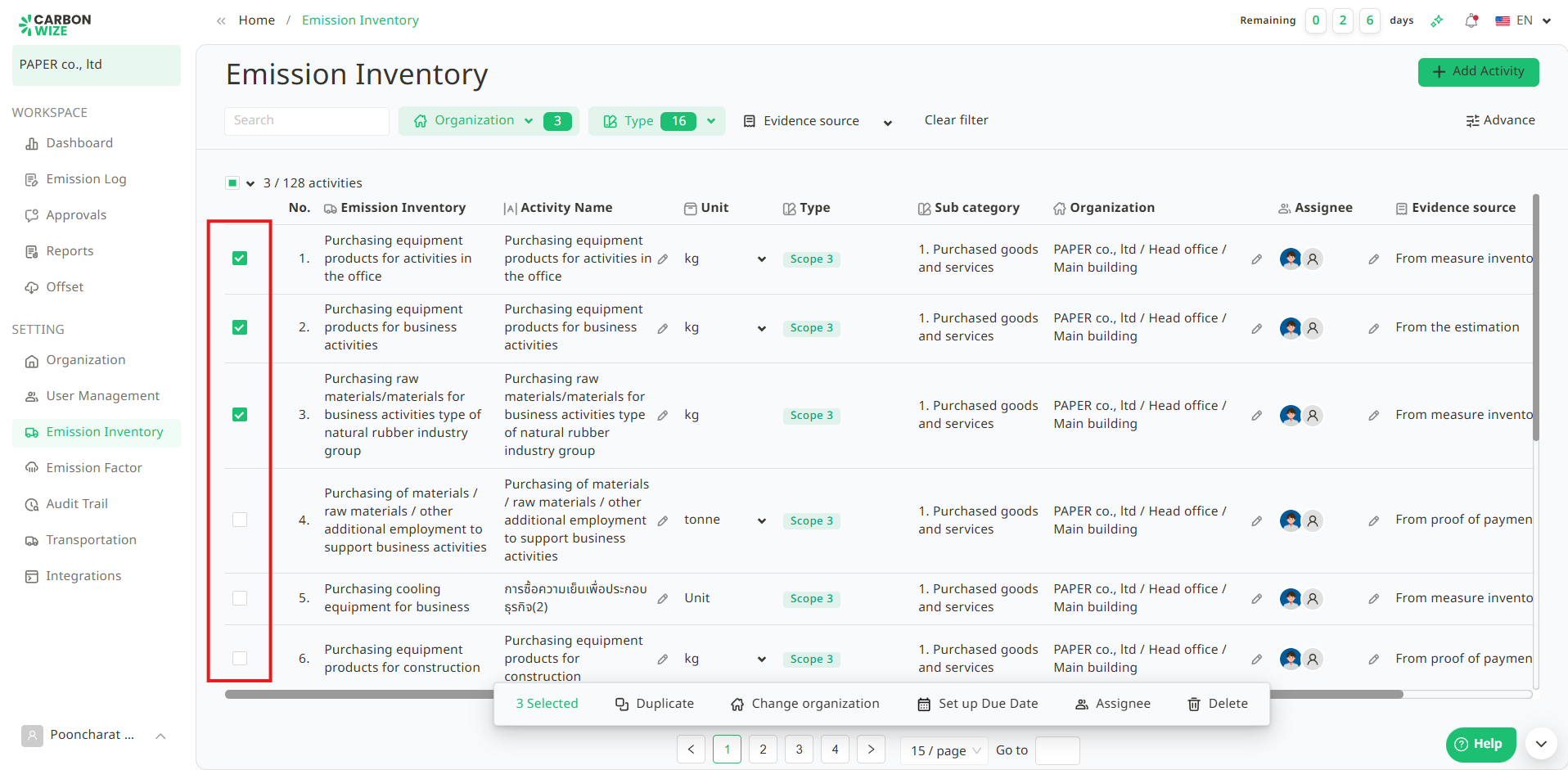
2. Click the Set up Due Date button.
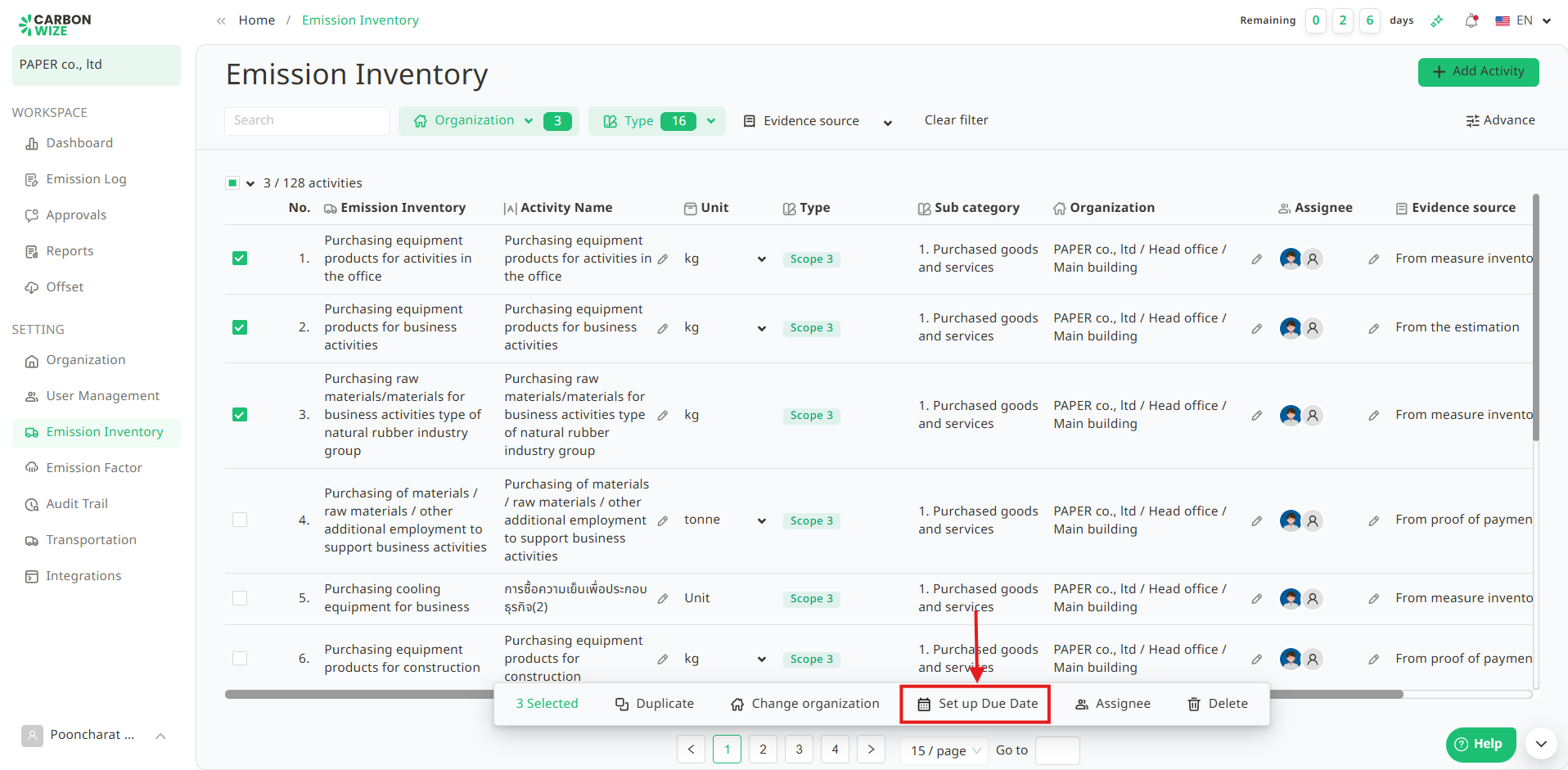
3. Configure Notifications for each user.
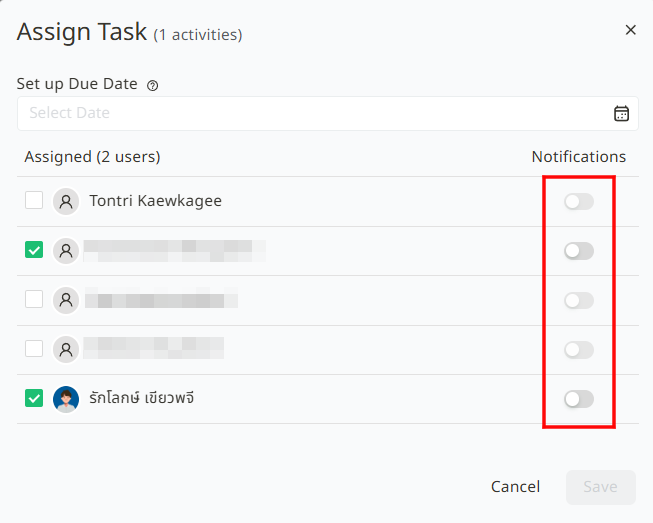
4. Click the Save button.
Once the Due Date is set, the Emission Inventory page will display one of the following statuses based on the schedule :
Pending : The activity is still within the scheduled period and has not yet reached its deadline. Users can enter or edit data as usual.
Due soon : The activity is nearing its due date. The system changes to this status when the pre-notification period begins to prompt users to complete the task on time.
Overdue : The activity has passed its deadline without the data being fully recorded. Users should complete the data entry as soon as possible.
Was this article helpful?
That’s Great!
Thank you for your feedback
Sorry! We couldn't be helpful
Thank you for your feedback
Feedback sent
We appreciate your effort and will try to fix the article