Once user have created a new verification , before submitting it, user must review the data details and complete all required information within the created verification. This can be done by following these steps:
1. Click the Edit button.
2. Click the Edit Data button.
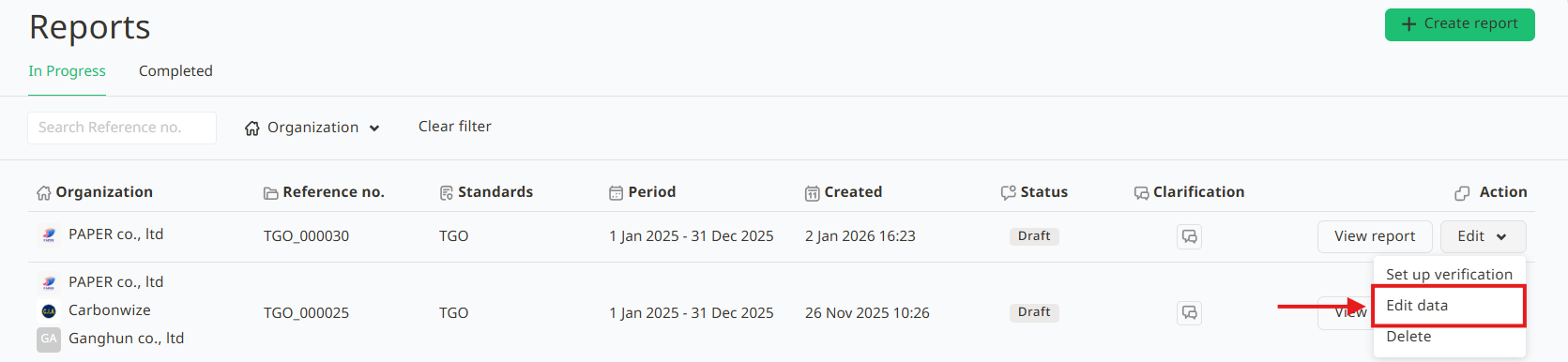
3. You will be able to submit the verification once you have completed the following information:
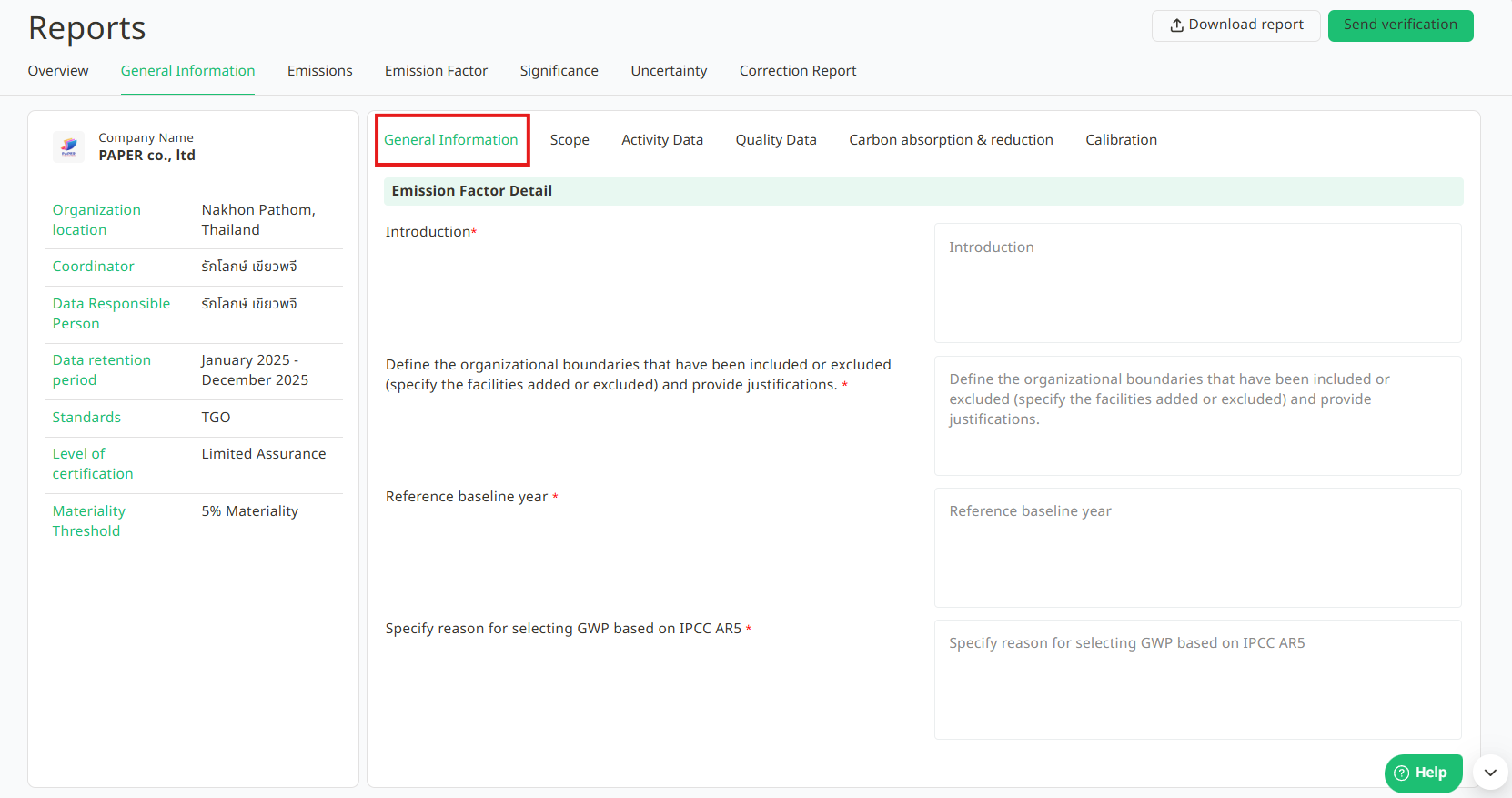
- General Information – In the General Information menu, you must fill in the key report information, which includes the introduction, specified organizational boundaries (included or excluded), and reference baseline year.
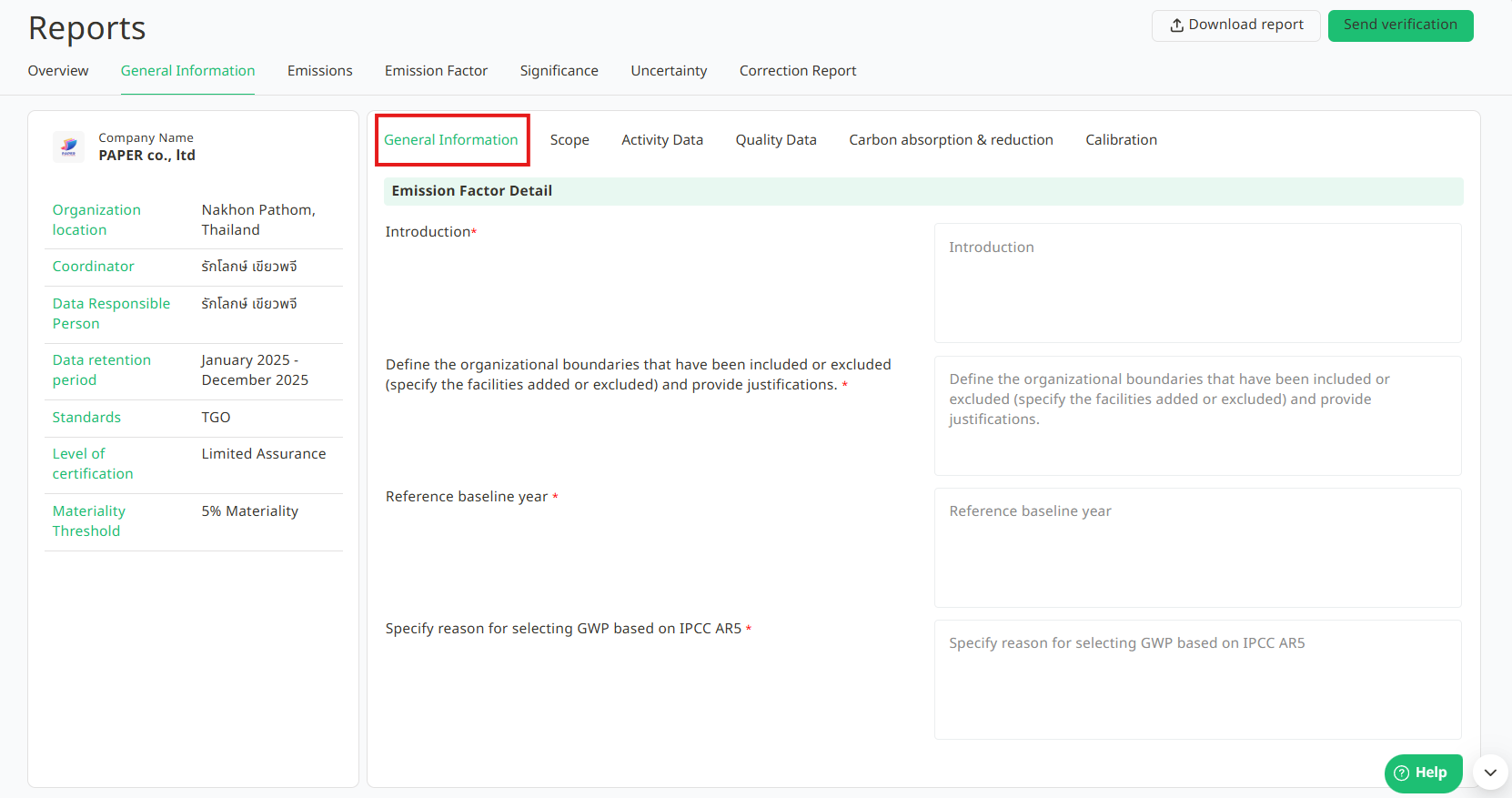
- Scope – In the General Information menu, you must fill in the scope information, which requires adding an image of the organizational structure, organizational chart, and production Process Chart.
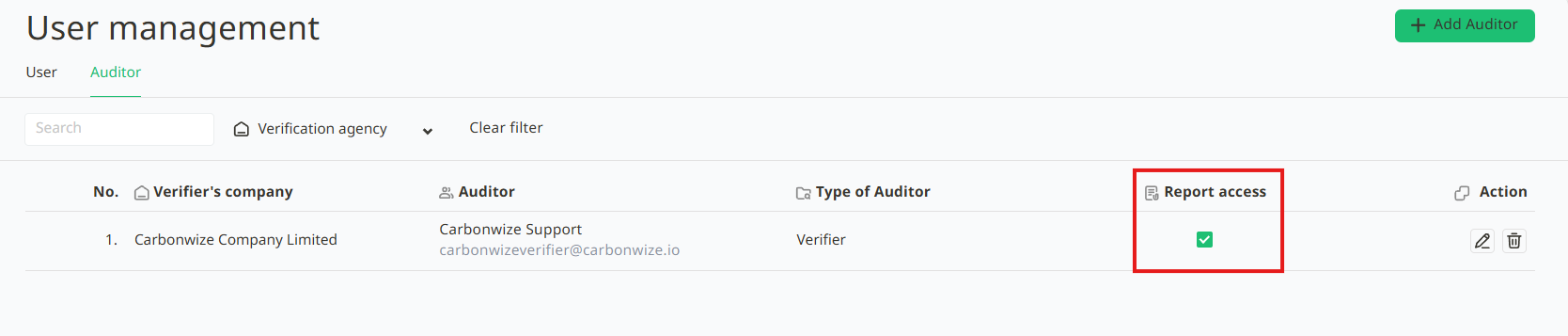
- Add report access to the verifier – If you have not yet granted access to the verifier, auditor will not be able to access this verification. It is necessary to grant access to the verifier, which can be done in the User Management menu, then navigate to the Verifiers page. Click the checkbox in the Report access column.
- Select evidence source – You must select the source of evidence for the activity items included in the verification.

Was this article helpful?
That’s Great!
Thank you for your feedback
Sorry! We couldn't be helpful
Thank you for your feedback
Feedback sent
We appreciate your effort and will try to fix the article