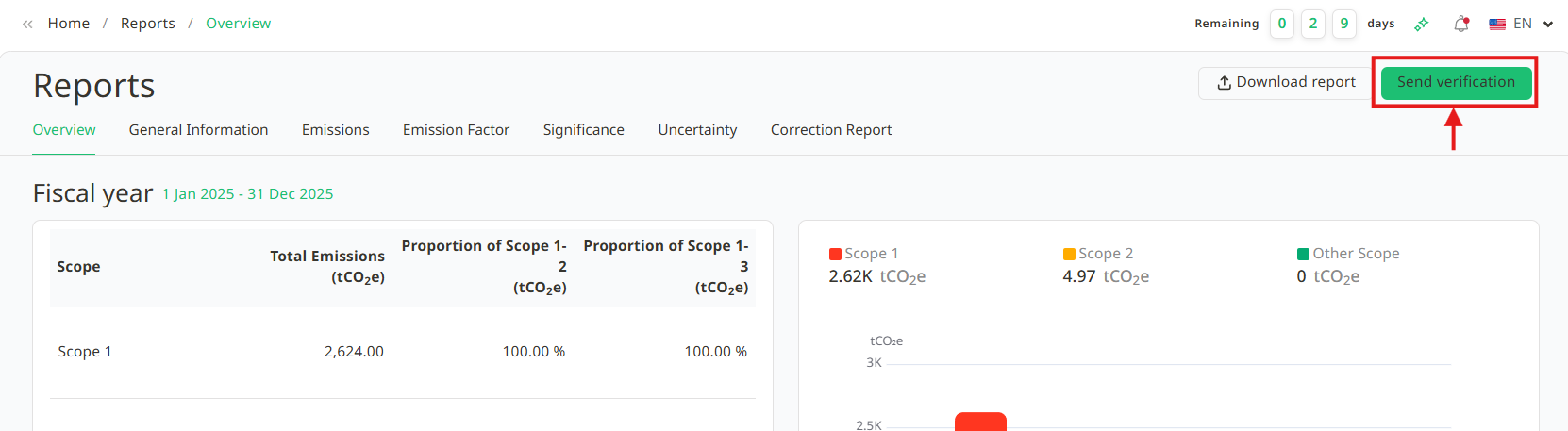
Once user has finished filling in the report information and scope, thoroughly review the verification data. If you've confirmed that all details are correct and complete, click the Send Verification button.
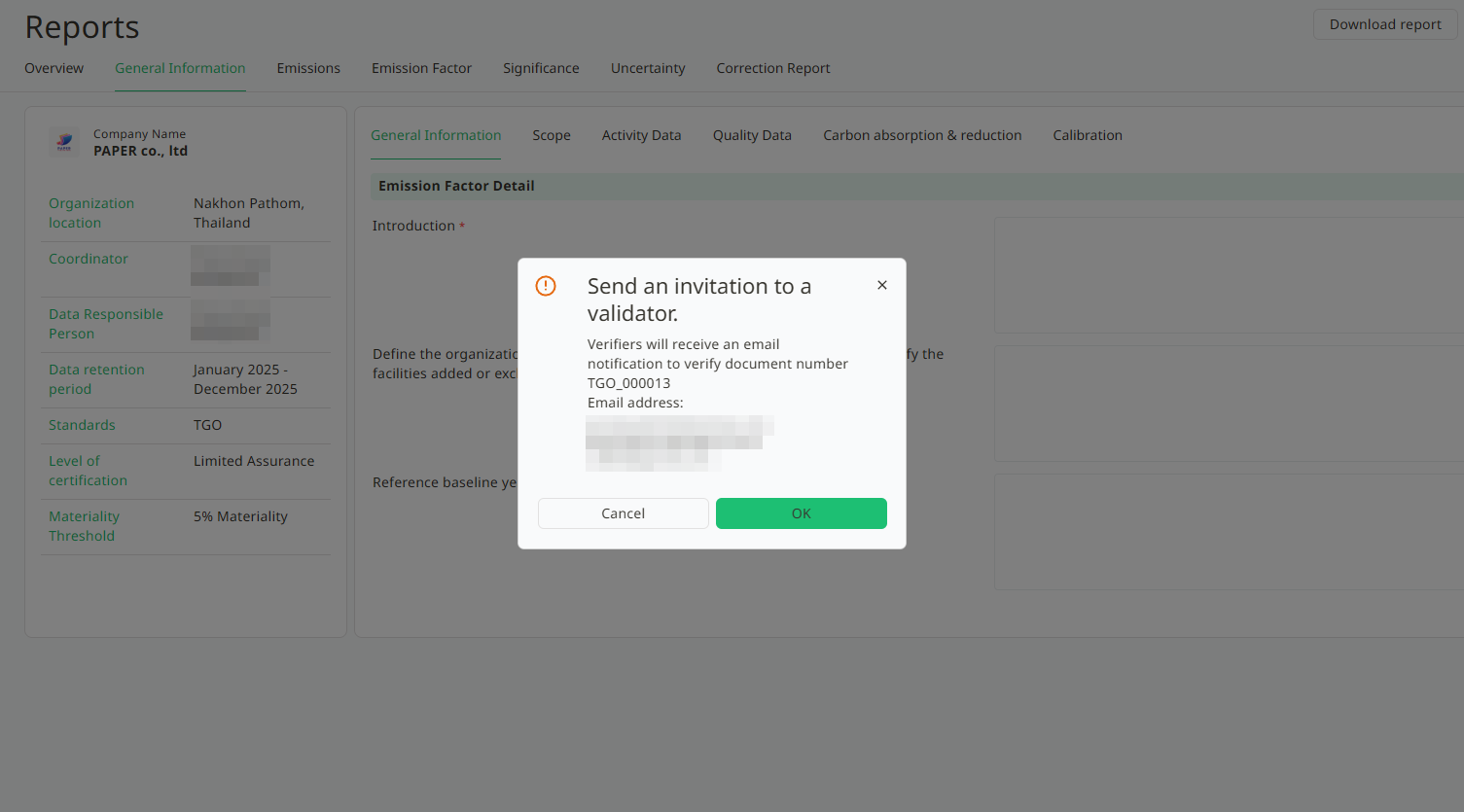
1. A Send an invitation to a validator window will appear and click the OK button.
2. A notification message will appear, with Email has been sent to verifier. The verifier invited to participate in this verification will receive an email invitation, and the system will redirect back to the Reports page.
On the list page, the verification you created will appear, and its status will be Waiting for the verifier until the verifier clicks Send Verification.

Was this article helpful?
That’s Great!
Thank you for your feedback
Sorry! We couldn't be helpful
Thank you for your feedback
Feedback sent
We appreciate your effort and will try to fix the article