If an auditor has been added but cannot see the data for auditing, it means they need to be granted access rights to the audit data. User can check this as follows :
1. Go to the User Management page.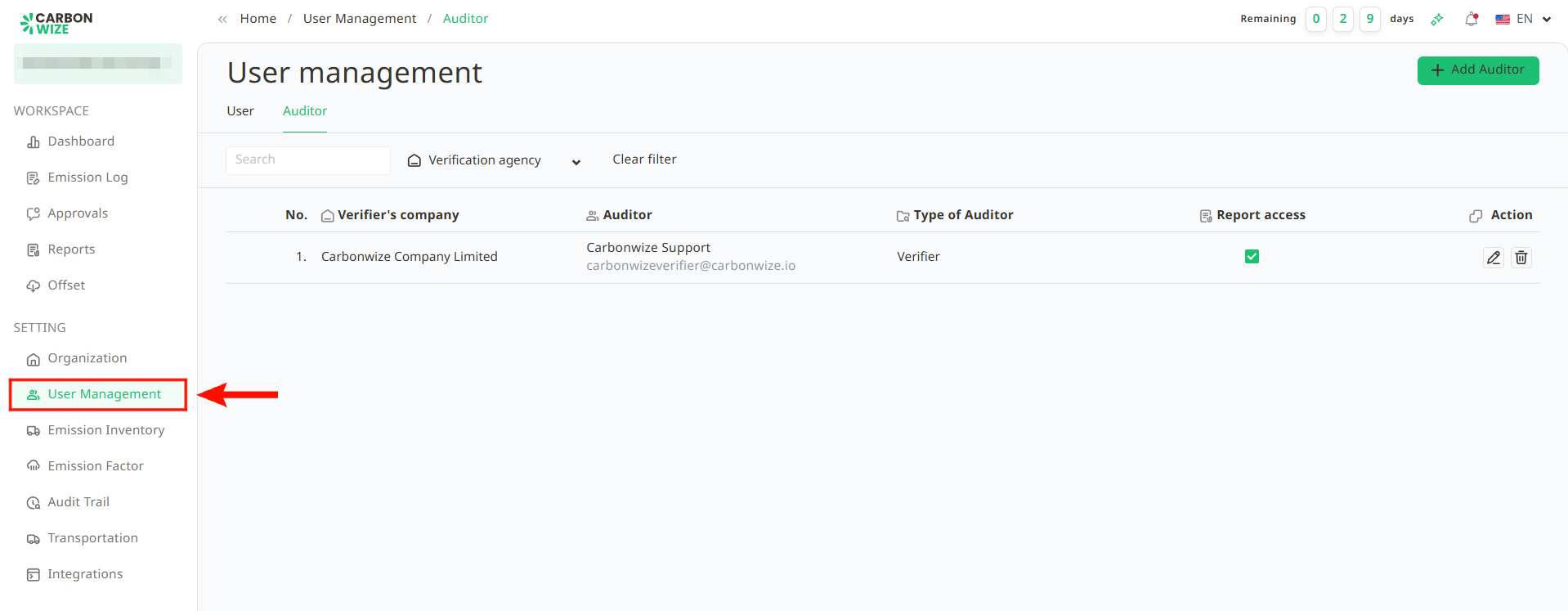
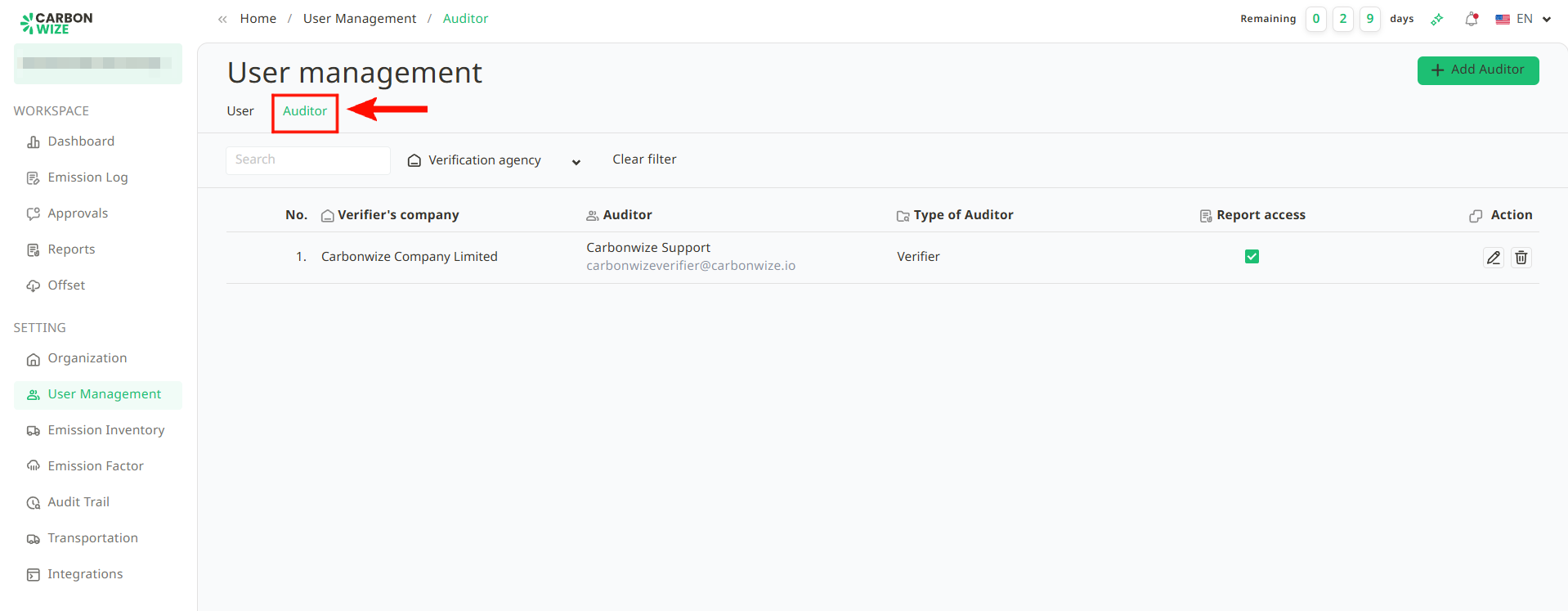
2. Select the Auditor tab.
3. Observe the Management column. If access has been granted, there will be a checkmark in the box. If there isn't, and userneed to grant the auditor access to the audit data, click the empty checkbox to grant the auditor the right to access the data for auditing.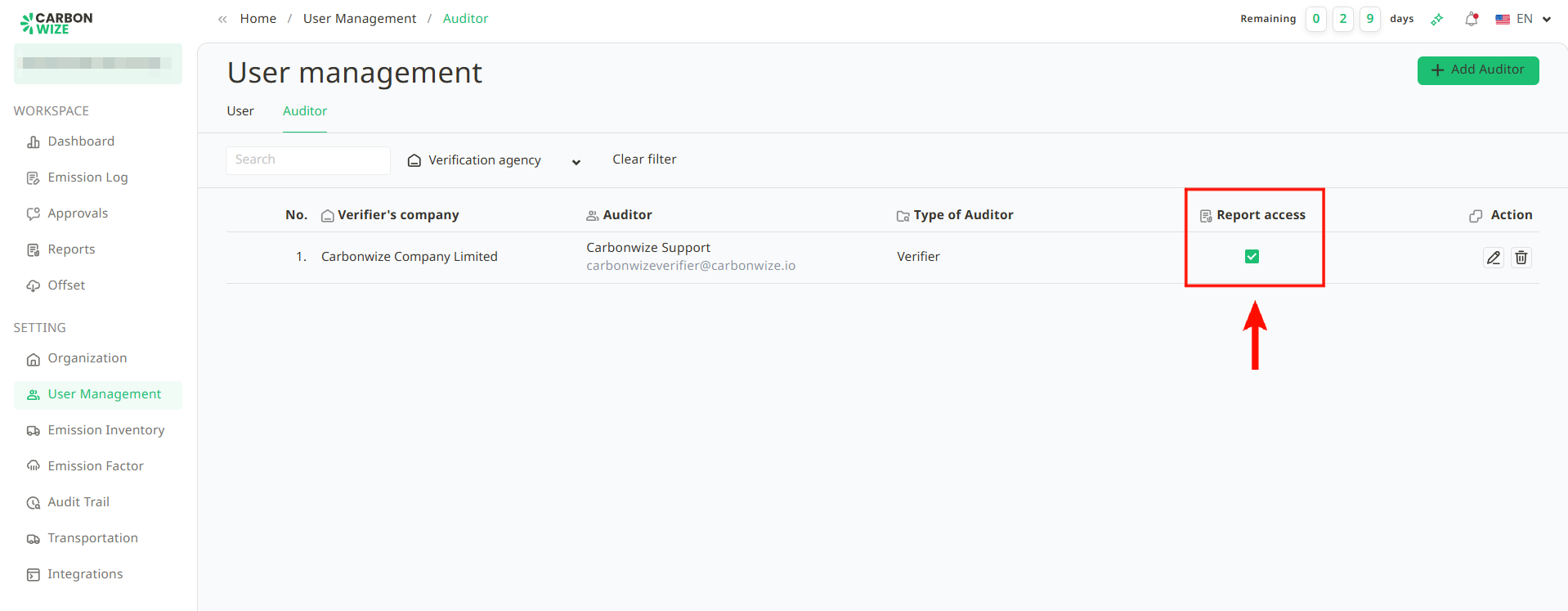
Was this article helpful?
That’s Great!
Thank you for your feedback
Sorry! We couldn't be helpful
Thank you for your feedback
Feedback sent
We appreciate your effort and will try to fix the article