If an organization needs to separate activity logs for each office or branch according to individual buildings or factories. This can be done as follows :
1. Go to Organization menu and Building / Factory tab.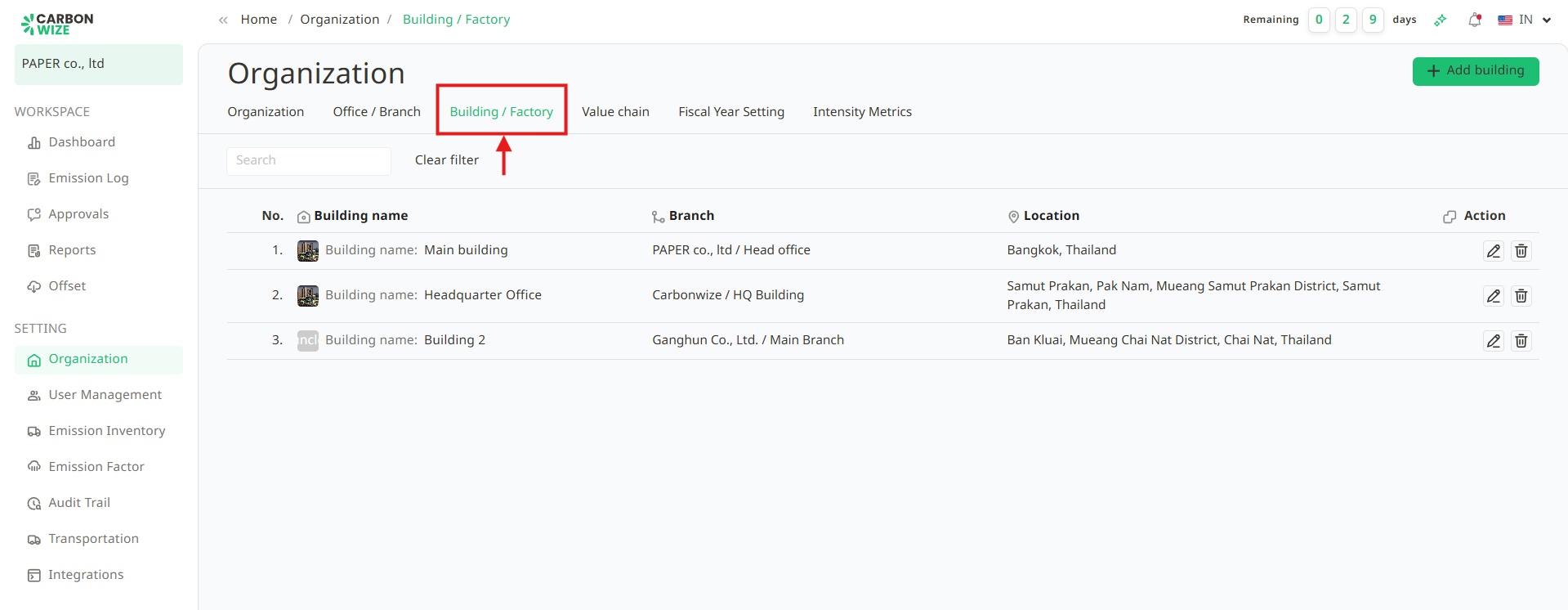
2. Click the + Add building button.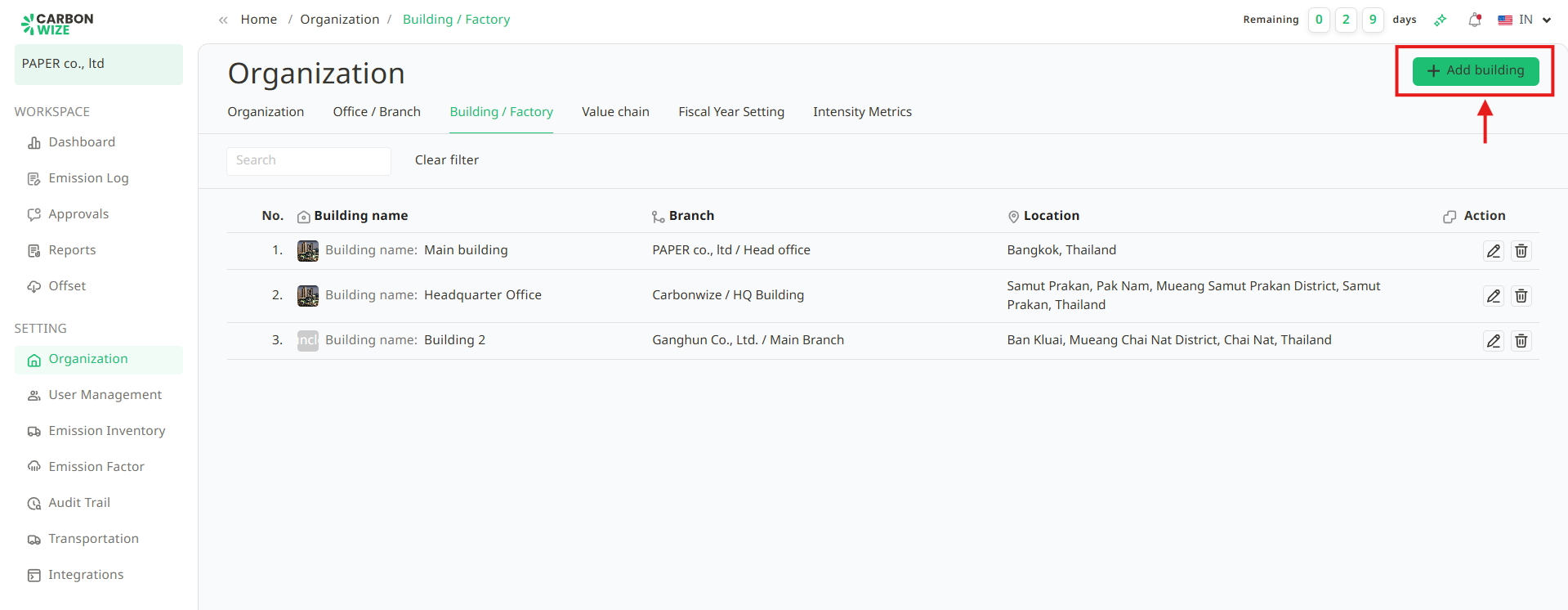
3. Fill in the information on the Add Building Structure page as follows :
- Building Name
- Branch
- Factory ID (optional)
- Attach Factory Operation Permit Filetory id (optional)
- Address
- Registered Address (optional)
- Search for Address on Map (optional)
- Address on Map
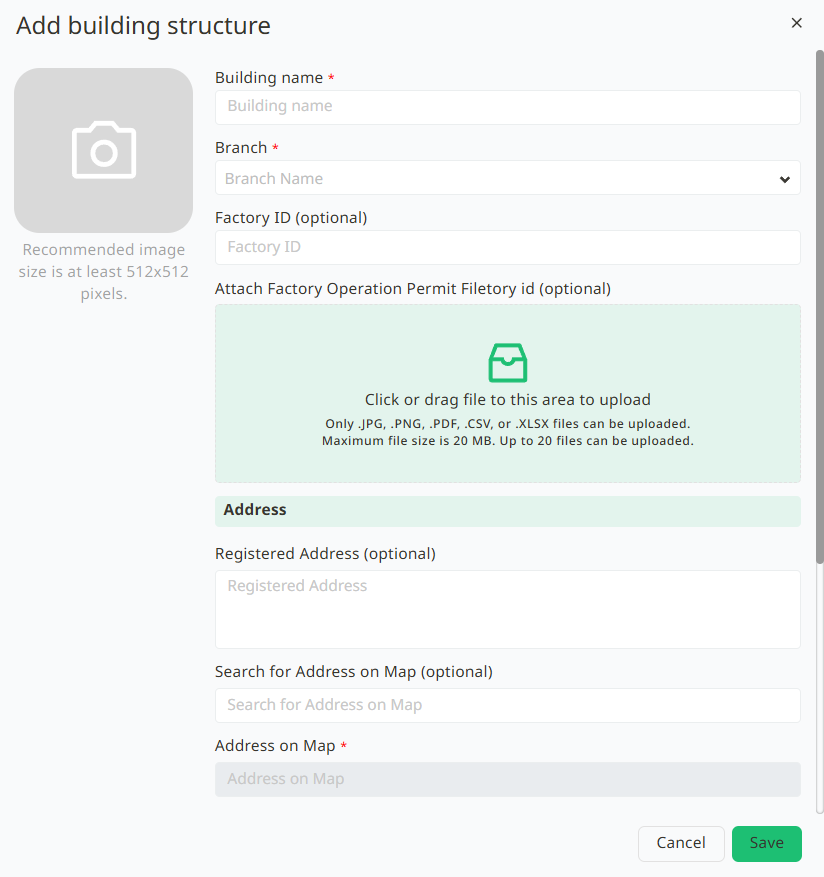
4. Click the Save button.
Was this article helpful?
That’s Great!
Thank you for your feedback
Sorry! We couldn't be helpful
Thank you for your feedback
Feedback sent
We appreciate your effort and will try to fix the article