If users need to move a selected emission Inventory to a different organization, branch, or building, user can follow these steps :
1. Go to the Emission Inventory menu.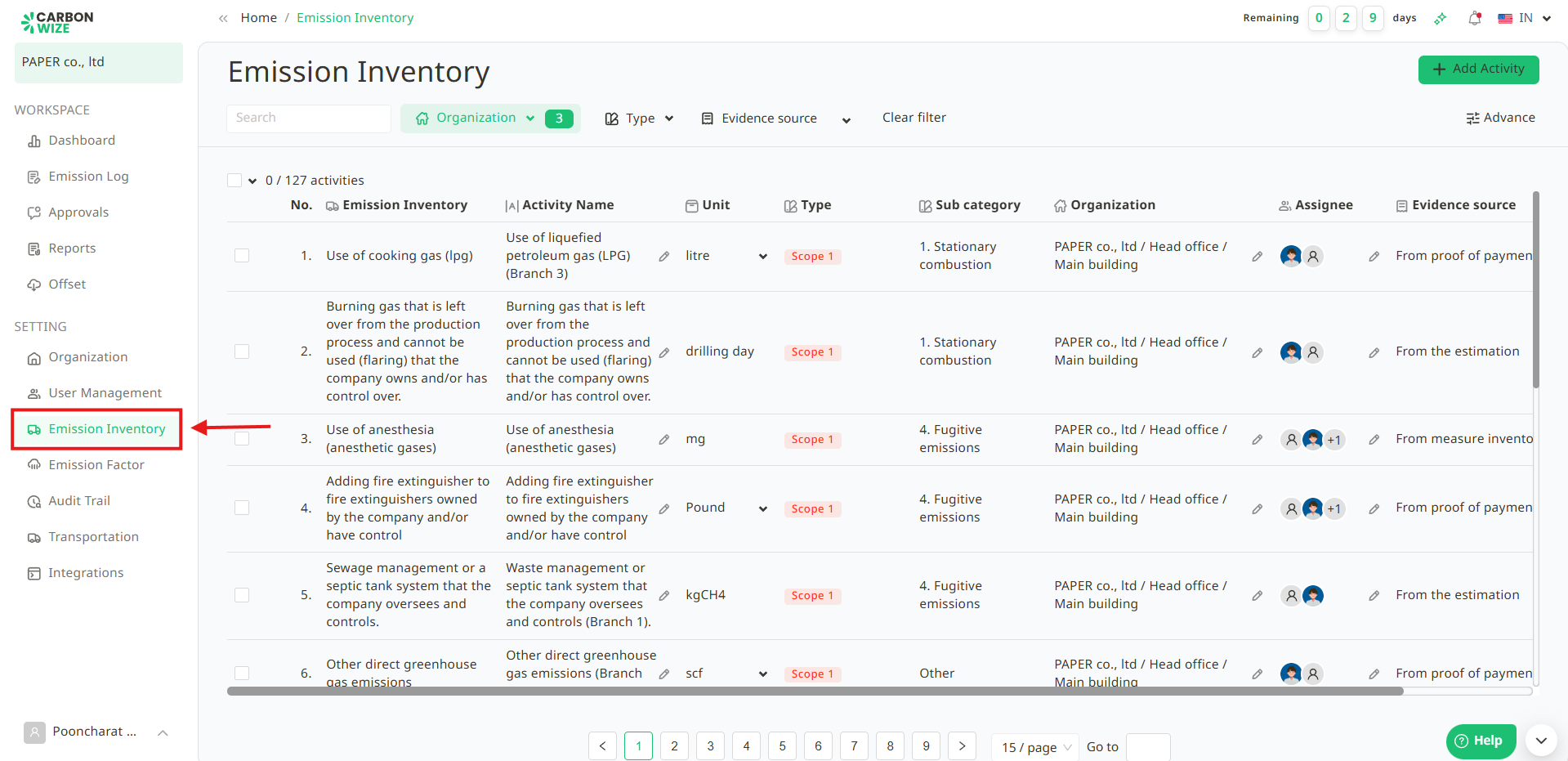
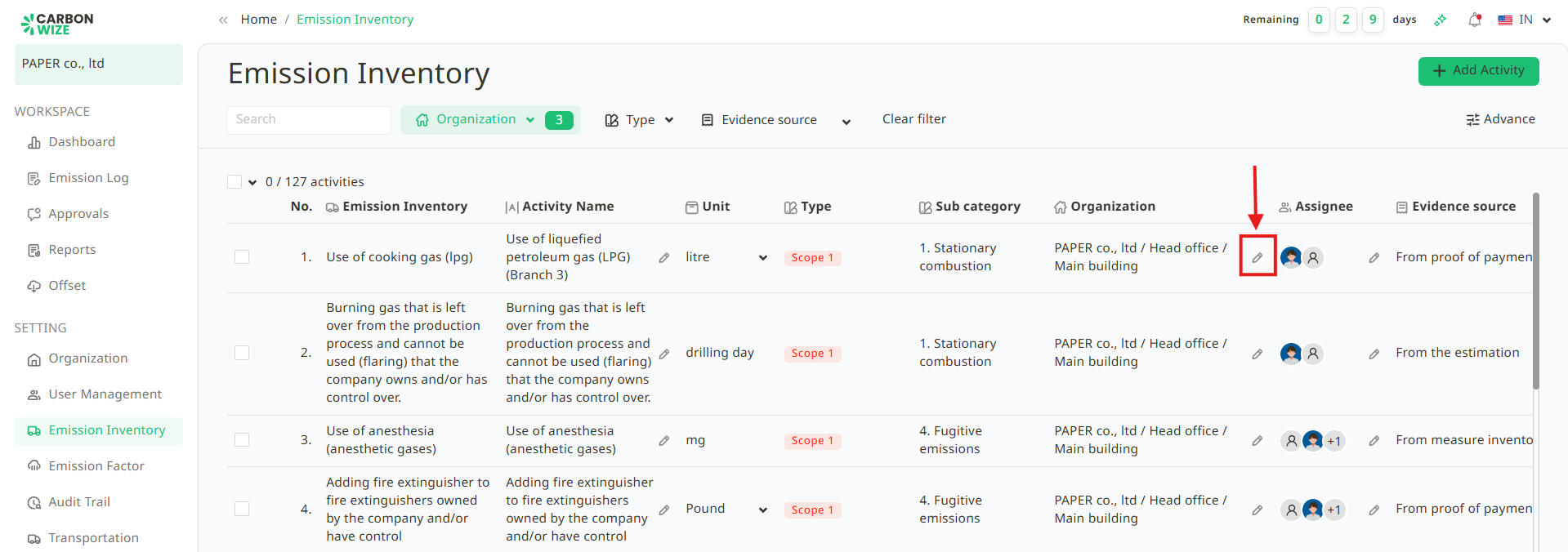
2. Click the pencil icon for the organization which users want to edit.
3. Modify the organization information as the user wants.
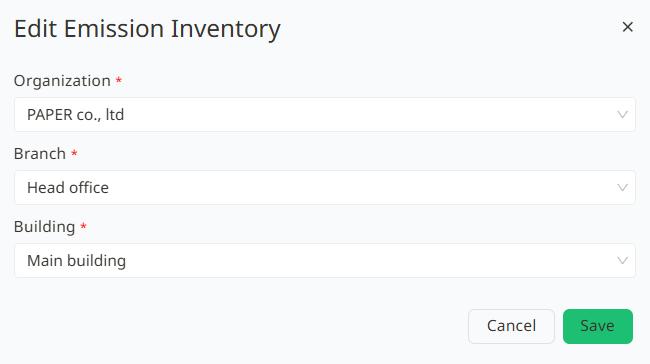
4. Click the Save button.
Was this article helpful?
That’s Great!
Thank you for your feedback
Sorry! We couldn't be helpful
Thank you for your feedback
Feedback sent
We appreciate your effort and will try to fix the article