For companies listed on the Stock Exchange of Thailand, the system will automatically determine the industry type based on the industry group. The organization can immediately select relevant activity items from the list.
For other companies not listed on the Stock Exchange of Thailand, they need to manually specify the relevant industry type.
Additionally, if a company has business operations related to multiple industry types, users can manually select additional relevant industry types as needed. By following these steps :
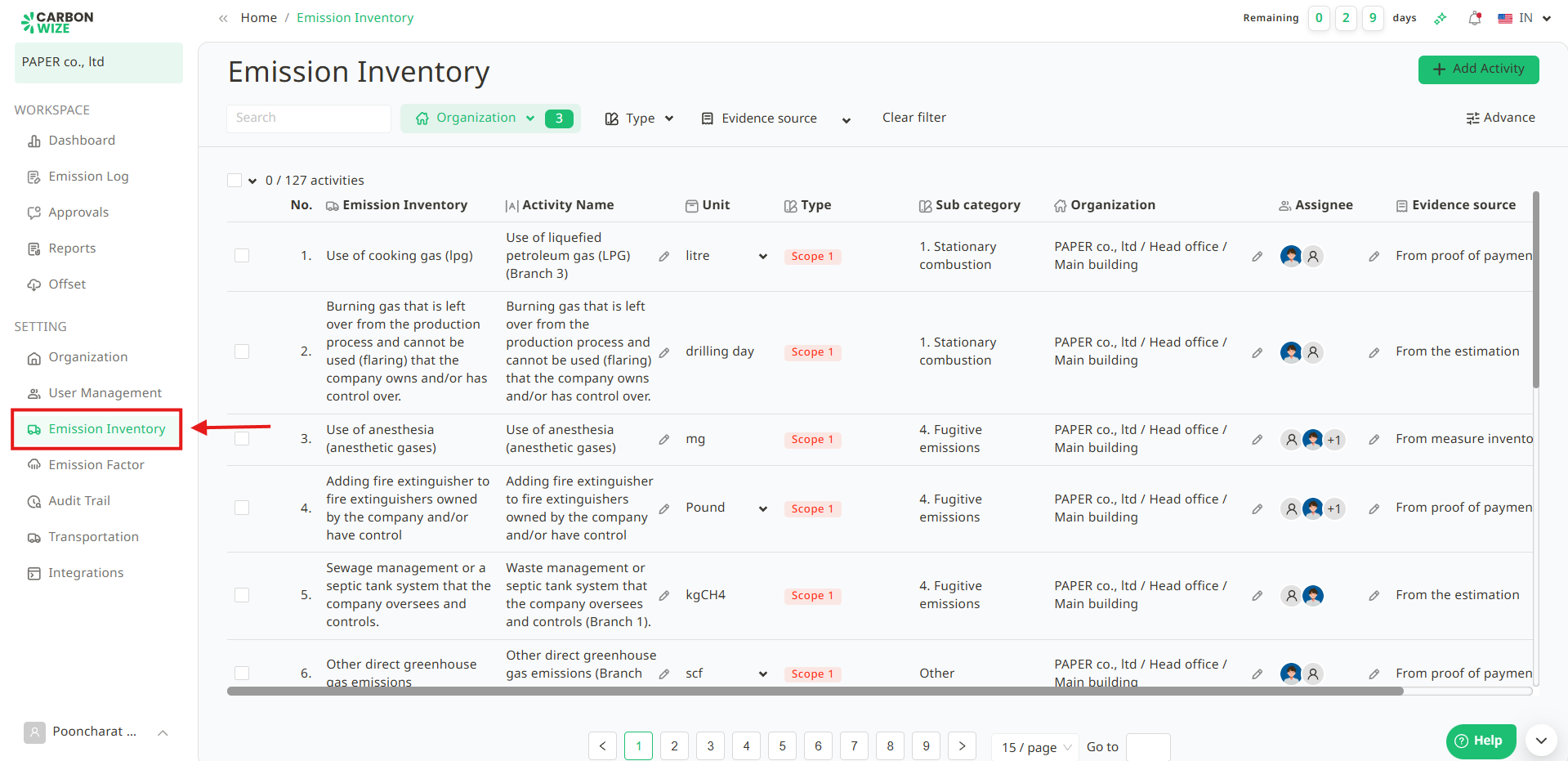
1. Go to Emission Inventory menu.
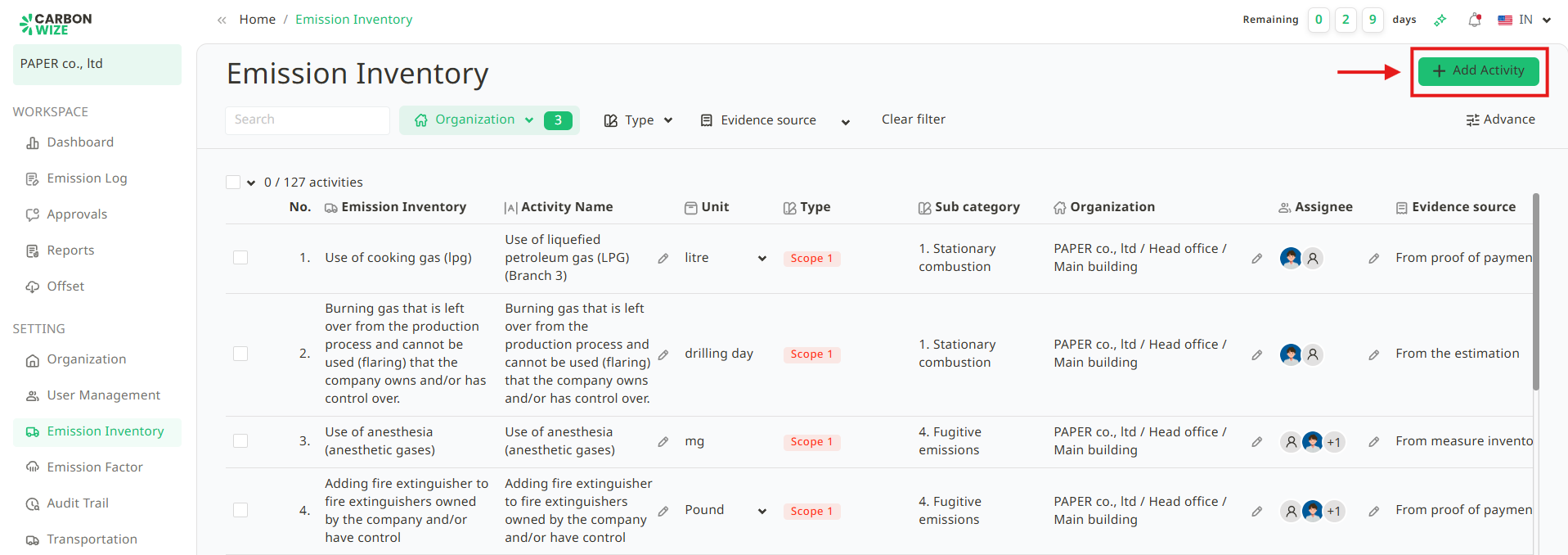
2. Click the + Add activity button.
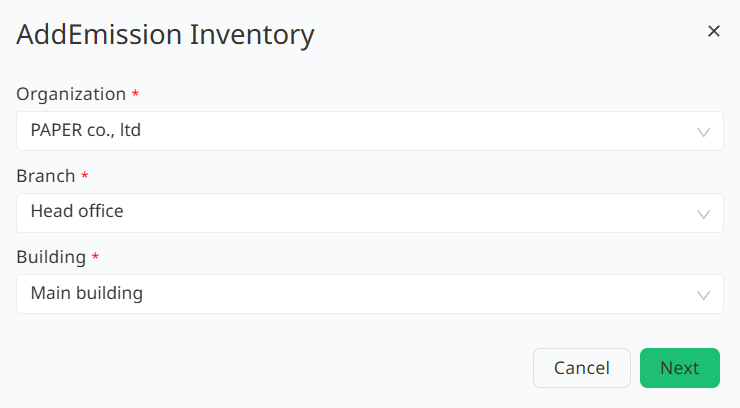
3.Select the Organization, Branch, and Building for which user want to create the activity item. Once completed, click the Next button.
4. Select the relevant industry activity type for the organization user want to add as follows :
4.1. Select the Industry Type related to the organization.
4.2. Select the Activity Items related to the organization.
4.2.1. The system will automatically identify the industry type and activities based on the organization's existing information.
4.2.2. User can select or remove items to create the appropriate list of activity items.
4.2.3. User can create more than one activity item.
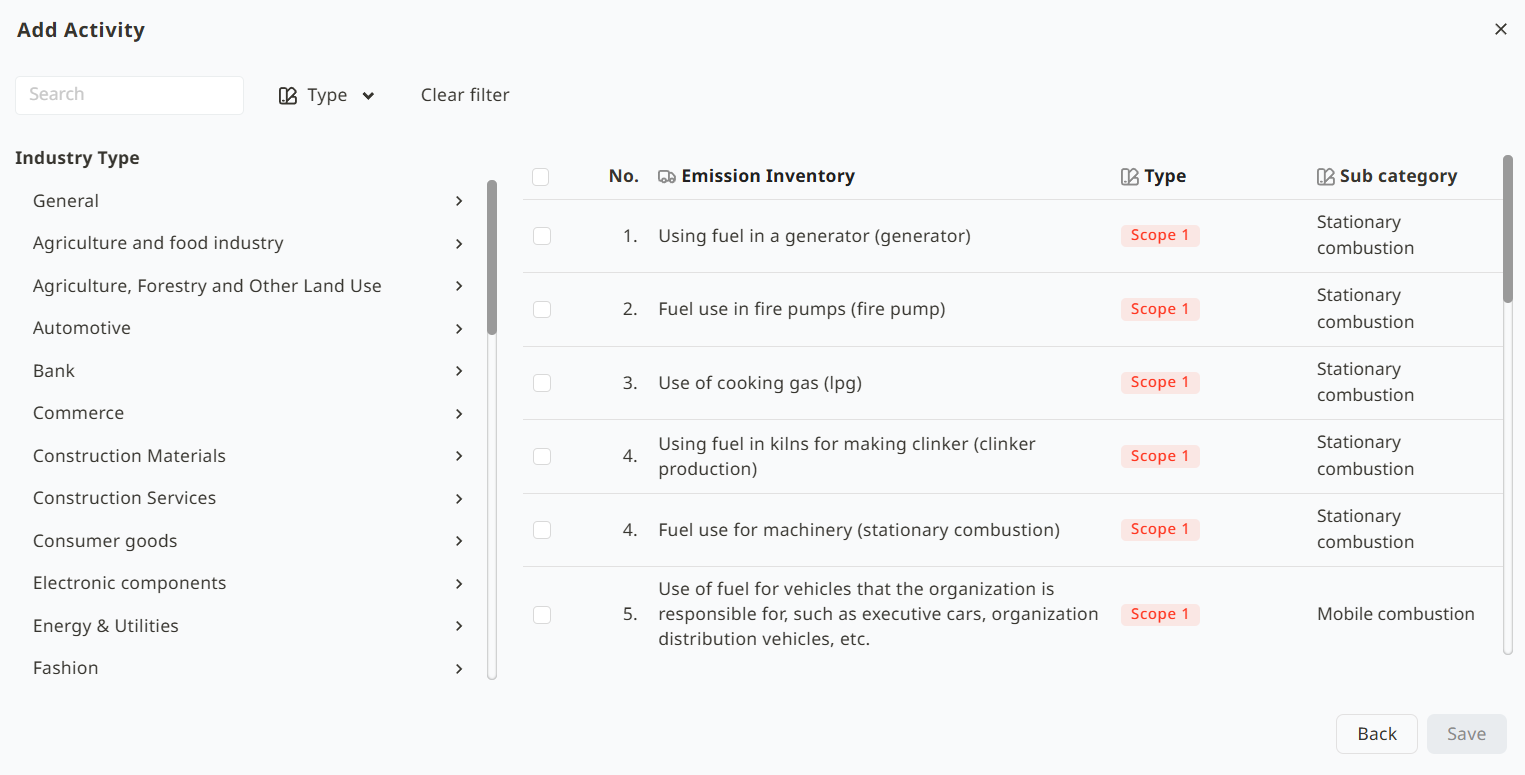
5. Click the Save button.
Was this article helpful?
That’s Great!
Thank you for your feedback
Sorry! We couldn't be helpful
Thank you for your feedback
Feedback sent
We appreciate your effort and will try to fix the article