If a user needs to add records for assigned activity data, this can be done in two ways :
1. Adding Activity Data Records Normally
1.1. Select the Activity for which user want to add a new data record.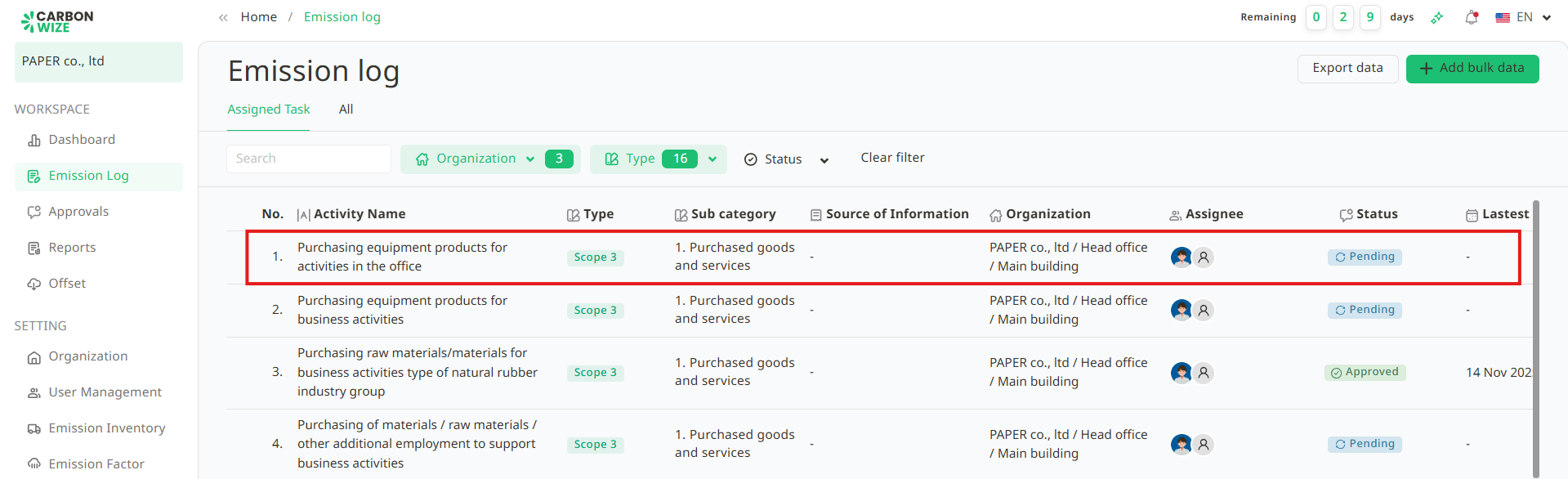
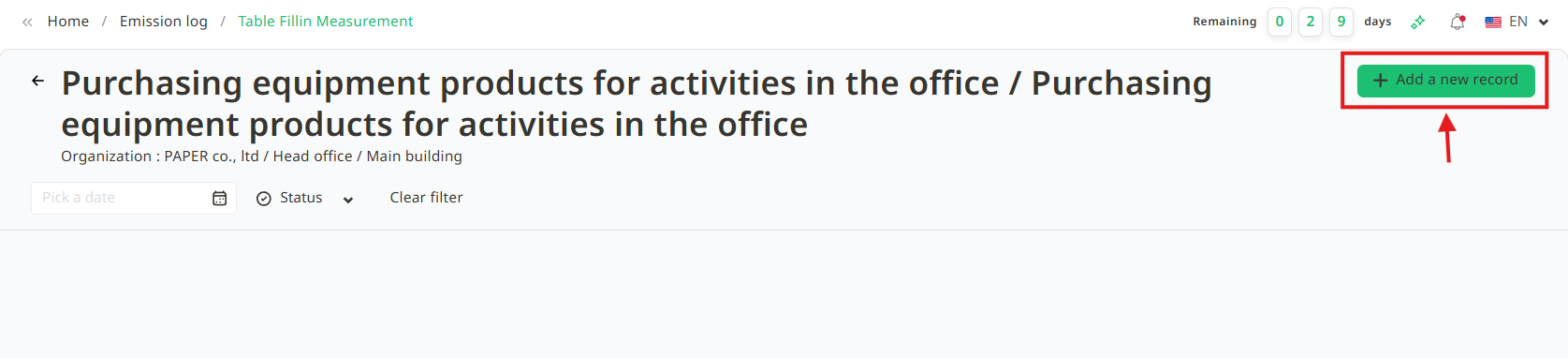
1.2. Click the + Add a new record button.
1.3. Fill in the following information :
- Data Date (Required)
- Quantity (Required)
- Details (Optional)
- Attach Reference Document (Optional)
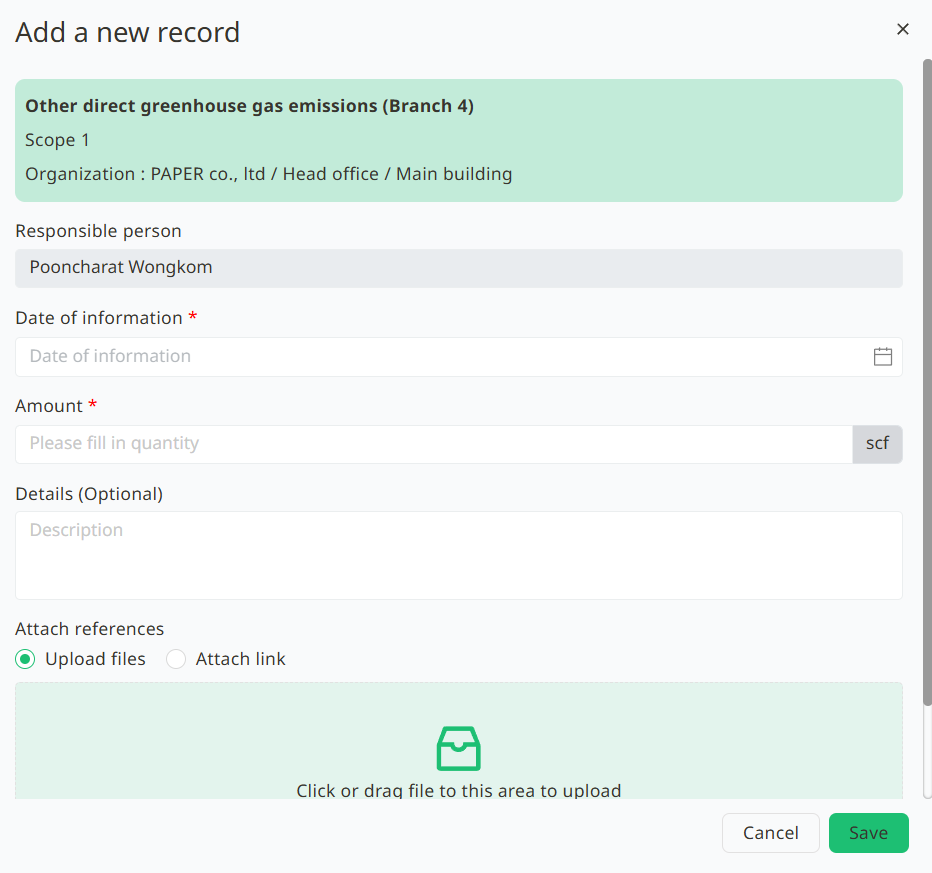
1.4. Once all the information is filled in, click the Save button.
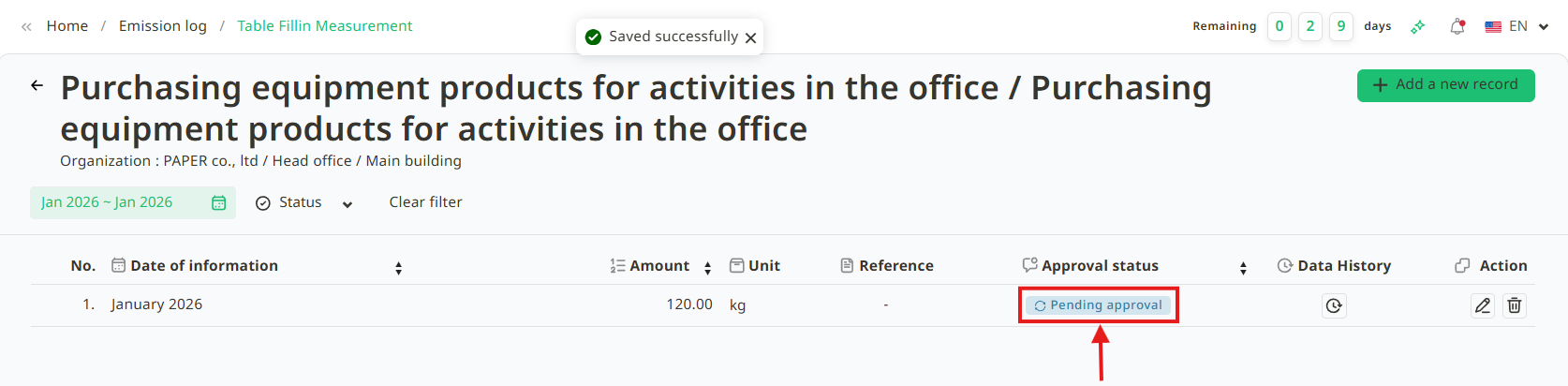
1.5. After successfully adding a new record, the data will be in Pending Approval status. User can view the reference document and explanations. The reference document will be shown as an attachment, and the explanations will be displayed in chronological order. Users can edit or delete the data while it is in the pending approval status.
2. Adding Activity Data Records in Bulk
If user want to add a large amount of activity data, user can click the + Add bulk data button to add multiple data sets at once. Follow these steps :
2.1. Click the + Add bulk data button.
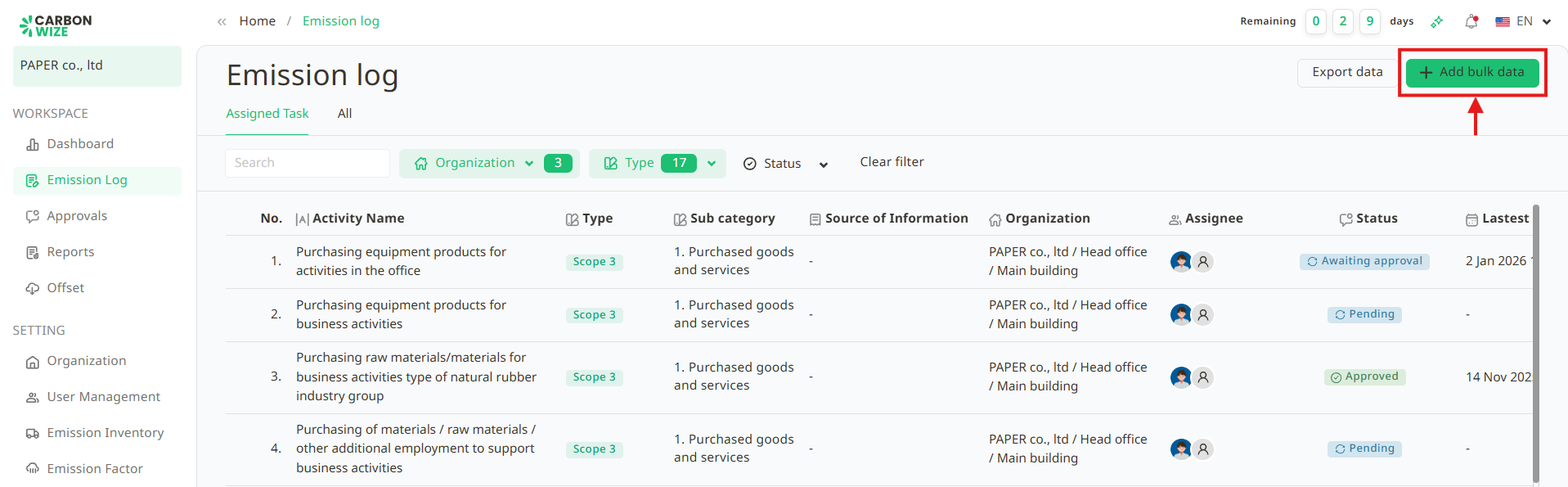
2.2. The Add bulk data window will appear. Users can select the start and end dates of the data for easier searching of the desired activity items.
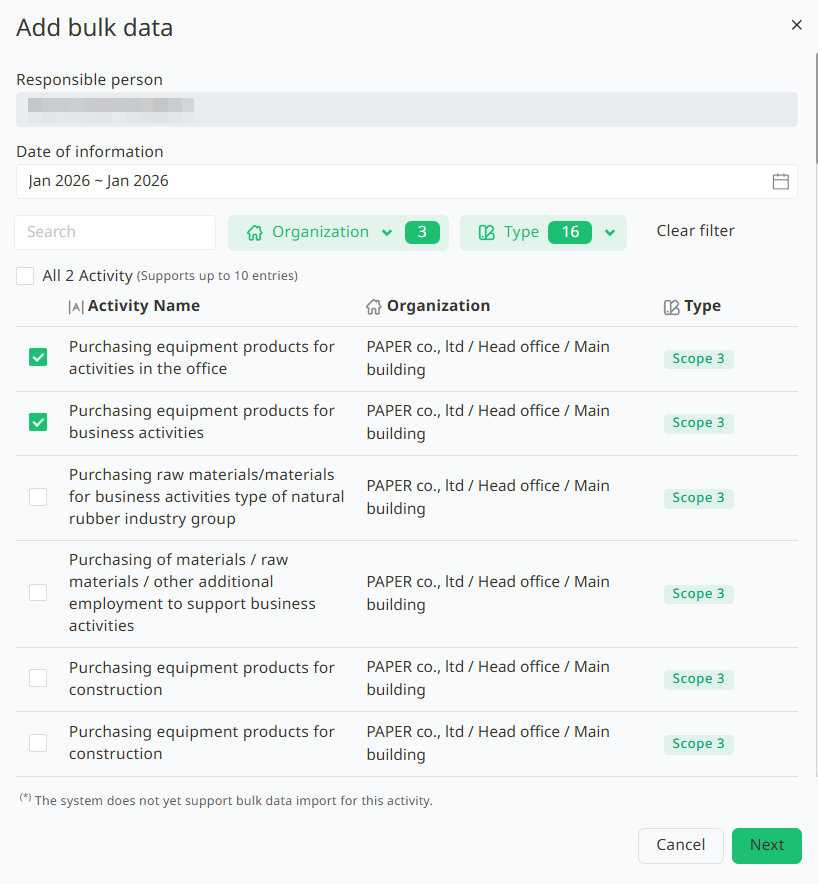
2.3. Select the Activity Items by clicking the checkbox in front of the items user want to add.
- Green box with a checkmark – Selected
- White box without a checkmark – Not selected
2.4.The system will redirect user to the Add bulk data page. At the top of the page, tabs representing user's selected activities will be displayed. User can click on each tab to enter the specific details for that activity.
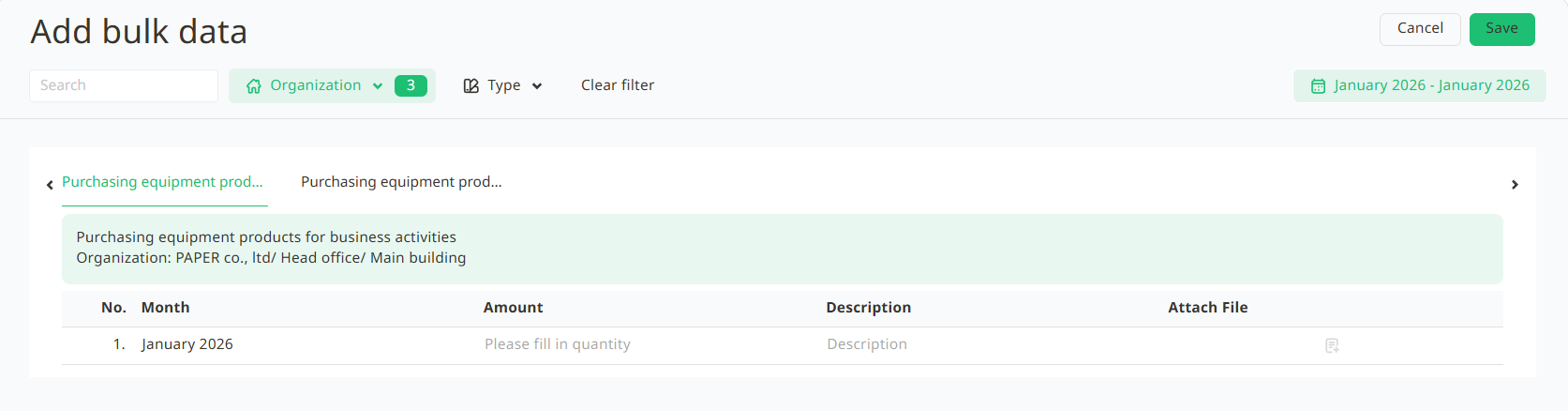
2.5. Fill in the Amount, Description, and attach files. Once completed, click the Save button.
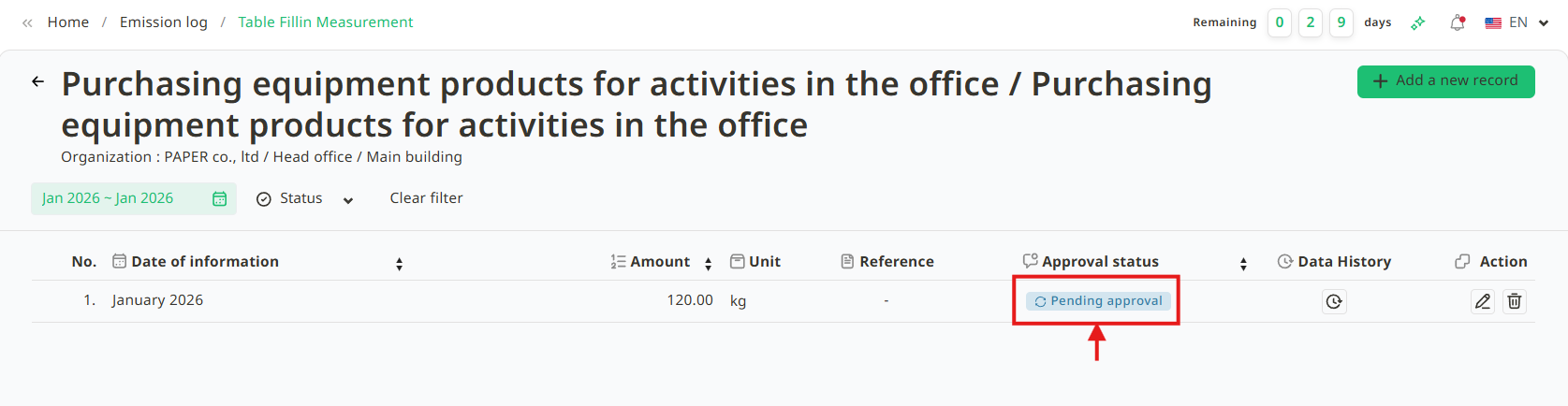
2.6. The system will return to the Enter Activity Data page. The bulk data that was added will be in Pending Approval status. Users can view the added items on this page.
Was this article helpful?
That’s Great!
Thank you for your feedback
Sorry! We couldn't be helpful
Thank you for your feedback
Feedback sent
We appreciate your effort and will try to fix the article