If user want to record waste disposal and management activities, user can access the activity record page by scanning the relevant QR Code and entering the activity data. No need to log in to the Carbonwize system to record these activities.
The activities accessible via QR Code scan include:
Waste Disposal and Management by External Agencies (Recycling Method)
Waste Disposal and Management by External Agencies (Composting Method)
Waste Disposal and Management by External Agencies (Incineration Method)
Waste Disposal and Management by External Agencies (Landfill Method)
Waste Disposal and Management by External Agencies (Other Methods)
User can download the QR Code to share with relevant personnel, allowing them to add activity records. Follow these steps :
1. Log in to Carbonwize and go to the Emission log page.
2. Select one of the activities listed above that can be accessed via QR Code scan.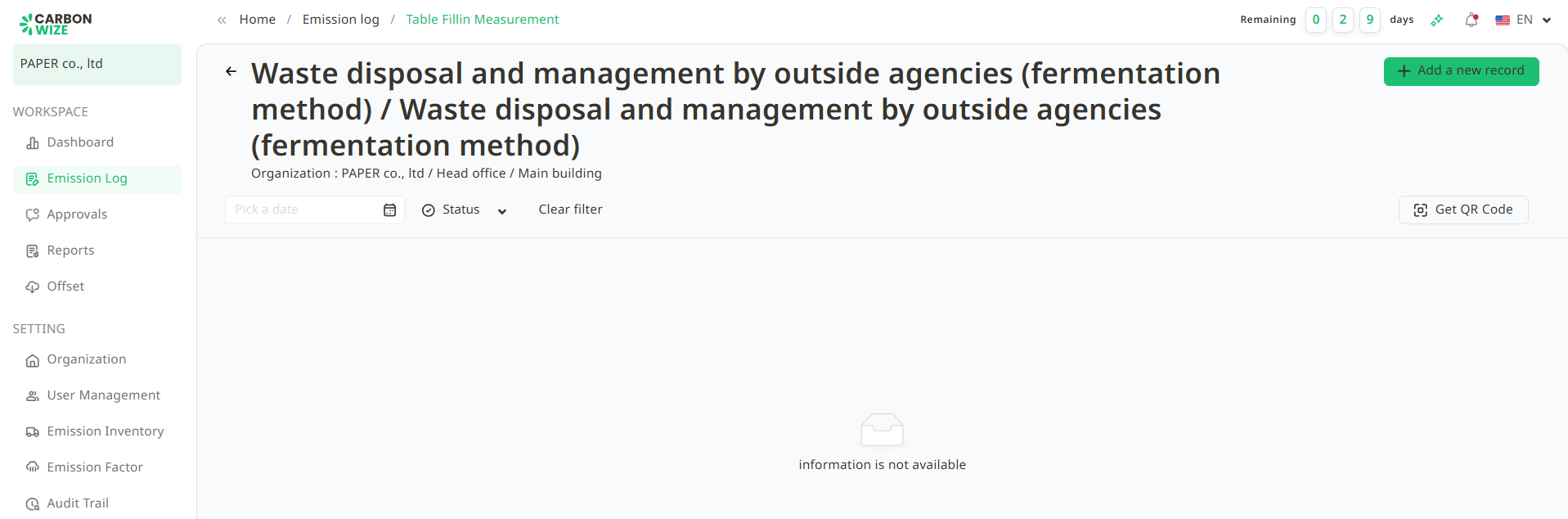
3. Click the QR Code button.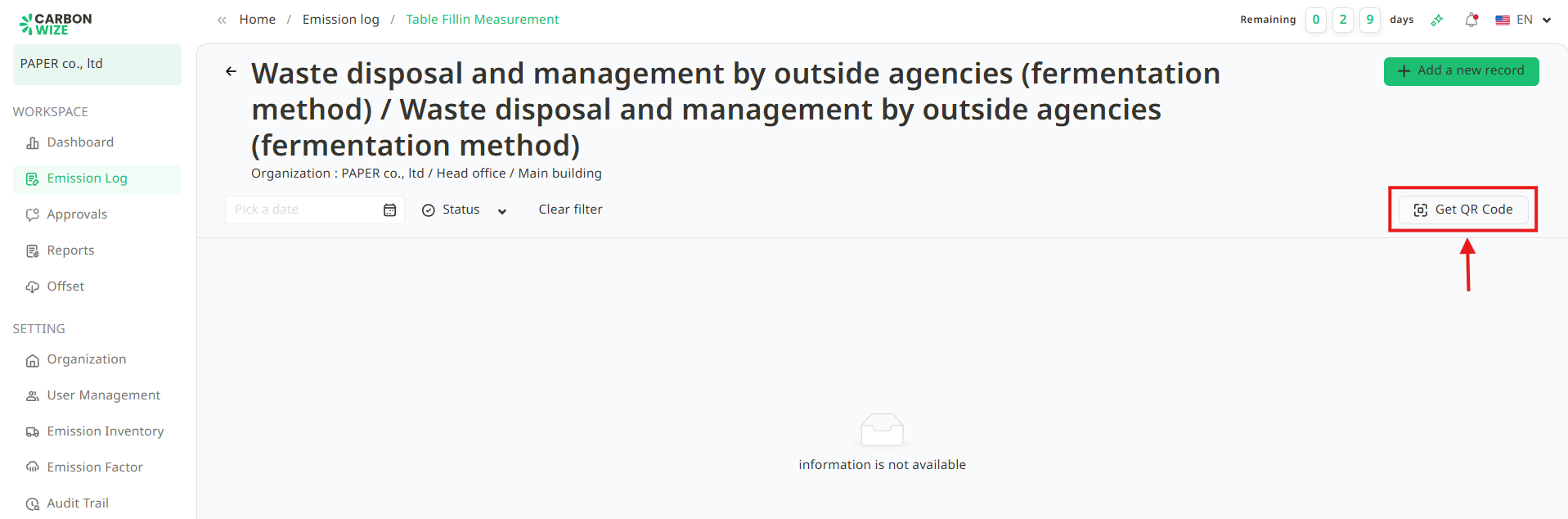
4. A QR Code window will appear. User can scan this QR Code to add records or share it with relevant personnel by clicking the Download QR Code button.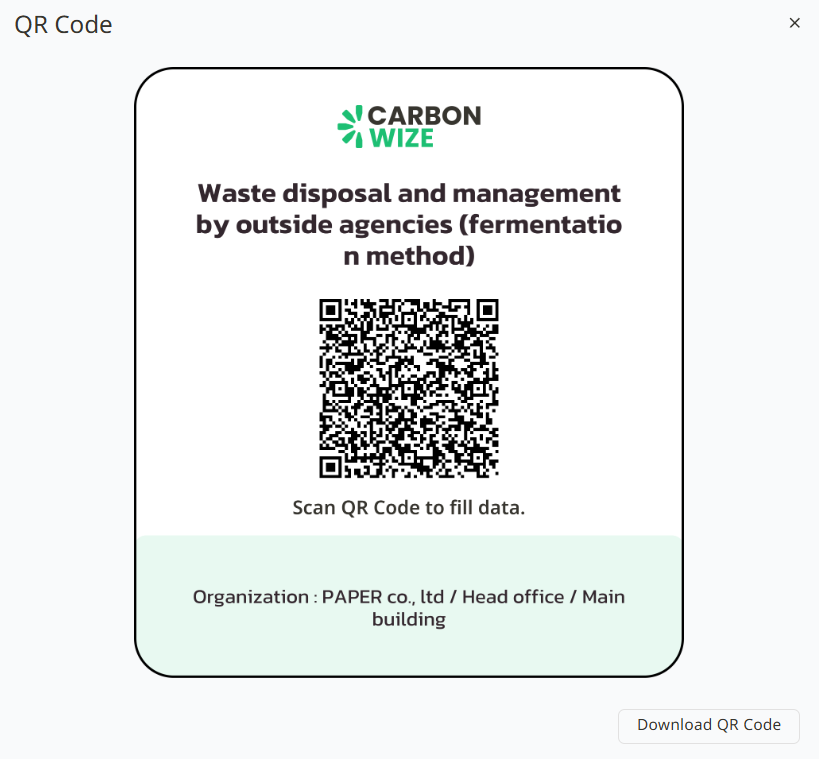
Was this article helpful?
That’s Great!
Thank you for your feedback
Sorry! We couldn't be helpful
Thank you for your feedback
Feedback sent
We appreciate your effort and will try to fix the article